

YITH WooCommerce Badge Management
By YITHEMES
YITH WooCommerce Badge Management allows you to create and manage custom badges for products.
★ 2.9/5 (93)10,000+ active installations
- Version
- 3.31.0
- WordPress
- 6.9+
- PHP
- 8.0+
- Updated
- 6 Nov 2026
WORDPRESS RESOURCES
Explore public plugin information from the official WordPress.org directory. Compare what a plugin does, its requirements and update history before adding it to your website.
Explore WordPress hosting →2,114 matching plugins reported by WordPress.org · Page 20 of 50
Source: WordPress.org
Data refreshed 22 Nov 2026 06:16 UTC
By YITHEMES
YITH WooCommerce Badge Management allows you to create and manage custom badges for products.
The most flexible filters for WooCommerce products & WordPress content. Includes everything needed, supports Elementor & builders, AJAX, quick setup.

By CleverReach
Connect your WordPress account with our easy-to-use email software and increase the success of your website or blog with newsletter marketing!

By wecantrack
Cloak, organise and track affiliate links in WordPress, with server-side click tracking and conversion data across 450+ networks.

By xqintegrations
Subscribe contacts with your Maileon account as newsletter recipients.
Forms for Mailchimp by Optin Cat helps you grow your MailChimp list. Create popups, inline forms, sidebar widgets & more.
By Alvaro Vasconcelos
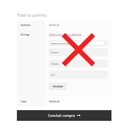
Permite calcular o frete no WooCommerce digitando apenas o CEP — sem precisar informar cidade ou estado.

By CLUEVO
Transforms your WordPress into a powerful Learning Management System. Organize video tutorials, podcasts and interactive SCORM courses with quizzes an …

Try Zoho Forms, the best WordPress contact form plugin! Create contact, payment & custom forms with a drag and drop builder. Get started for free!

By Rustaurius
Build a standalone product catalog with blocks or shortcodes, responsive filtering and search, plus optional WooCommerce integration.
Turn Google Sheets into live WordPress tables. Embed, sync, and customize data instantly with search, filters, and styling - no coding needed.

PuzzleMe makes it easy to add interactive games to your WordPress website - no coding required.
CHOOSE WHAT YOUR WEBSITE NEEDS
Start with the task you need to solve. Compare features, WordPress and PHP requirements, update history and the author’s documentation. Test changes on a private copy and avoid adding several plugins for the same job.
This independent directory displays plugin information on WebFulHost and links to the official source. Packages are not mirrored or installed here. A plugin can include paid extensions or services with separate terms from its author.


