The easiest way to create responsive, customizable, and reusable charts and graphs for your website.
★ 3.0/5 (6)3,000+ active installations
- Version
- 3.6.0
- WordPress
- 6.0+
- PHP
- 7.4+
- Updated
- 21 Nov 2026
View plugin details ↗Power-up your Elementor workflow with global theme style presets, container-based patterns, and more global design controls.
★ 4.7/5 (44)10,000+ active installations
- Version
- 2.7.0
- WordPress
- 6.6+
- PHP
- 7.4+
- Updated
- 30 Oct 2026
View plugin details ↗Testimonial blocks for the block editor. Show customer reviews, star ratings and photos in a responsive grid or carousel slider. No coding.
★ 4.5/5 (2)1,000+ active installations
- Version
- 1.3.0
- WordPress
- 6.5+
- PHP
- 7.0+
- Updated
- 9 Nov 2026
View plugin details ↗Create unlimited folders with the Folders WordPress plugin, organize & manage your Media Library files, Pages & Posts in folders 📁
★ 5.0/5 (1,530)90,000+ active installations
- Version
- 3.3.1
- WordPress
- 4.7+
- Updated
- 26 Nov 2026
View plugin details ↗The plugin offers watermarks templates for bulk watermarks and single editor for applying watermarks on single images.
★ 5.0/5 (2)200+ active installations
- Version
- 1.2.2
- WordPress
- 5.6+
- PHP
- 7.0+
- Updated
- 17 Jul 2026
View plugin details ↗Easily add countdowns, timers, and counters to your WordPress site. Ideal for sales, events, stats, and personalized time-based experiences.
★ 4.5/5 (8)1,000+ active installations
- Version
- 2.0.14
- WordPress
- 5.5+
- PHP
- 7.4+
- Updated
- 25 Aug 2026
View plugin details ↗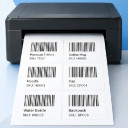
By Dmitry V. (CEO of "UKR Solution")
WooCommerce barcode generator for product and order labels & price tags. Easily print label with your printer (UPC, EAN, GS1, GTIN, QRcode).
★ 4.5/5 (74)800+ active installations
- Version
- 4.0.4
- WordPress
- 6.0+
- PHP
- 7.0+
- Updated
- 19 Nov 2026
View plugin details ↗Ultimate Kit for WPForms makes the task of designing WPForms an easy one.
★ 4.8/5 (114)20,000+ active installations
- Version
- 3.8
- WordPress
- 4.0+
- Updated
- 16 Sep 2025
View plugin details ↗A Smart Variation Swatches for WooCommerce that transforms variation dropdowns to beautiful color, image or label swatches.
★ 4.7/5 (32)500+ active installations
- Version
- 1.9.15
- WordPress
- 4.6+
- PHP
- 5.4+
- Updated
- 8 Nov 2026
View plugin details ↗Add beautiful, fully customizable product badges and labels to your WooCommerce shop, category, and single product pages — no coding required.
★ 5.0/5 (6)700+ active installations
- Version
- 1.1
- WordPress
- 5.5+
- PHP
- 7.4+
- Updated
- 23 May 2026
View plugin details ↗Animate WordPress blocks with reveal, scroll, mouse and loop effects, set in the block settings.
★ 4.6/5 (46)6,000+ active installations
- Version
- 3.9.1
- WordPress
- 6.6+
- PHP
- 8.3+
- Updated
- 22 Nov 2026
View plugin details ↗This plugin allows you to easily embed Font Awesome icon to your site with simple shortcodes.
★ 4.9/5 (9)10,000+ active installations
- Version
- 1.8.0
- WordPress
- 3.2+
- PHP
- 5.6+
- Updated
- 9 Jul 2024
View plugin details ↗