Fast, lazy-load video embed block for Gutenberg — YouTube, Vimeo & MP4 with instant click-to-play. Boost PageSpeed & Core Web Vitals.
0+ active installations
- Version
- 1.0.2
- WordPress
- 6.8+
- PHP
- 7.4+
- Updated
- 15 Oct 2026
WORDPRESS RESOURCES
Explore public plugin information from the official WordPress.org directory. Compare what a plugin does, its requirements and update history before adding it to your website.
Explore WordPress hosting →330 matching plugins reported by WordPress.org · Page 20 of 28
Source: WordPress.org
Data refreshed 25 Nov 2026 15:56 UTC
Fast, lazy-load video embed block for Gutenberg — YouTube, Vimeo & MP4 with instant click-to-play. Boost PageSpeed & Core Web Vitals.
By MegaWix Technologies
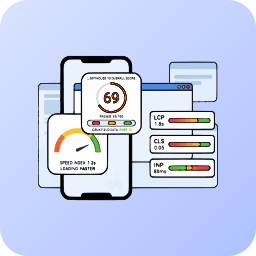
Monitor and improve your Core Web Vitals (LCP, CLS, INP) using professional Lighthouse 10 analysis, completely managed via the Mega Plugin Hub.
Fast & SEO-friendly WordPress translation plugin. Translate your site into 103+ languages automatically with Hreflang, static caching, and AI support.
Manage robots.txt for ChatGPT Ads, AI search and training crawlers. Preview OAI-AdsBot rules and keep your training choices separate.

By Rayhan Uddin
Real-user performance monitoring for Core Web Vitals. LCP, CLS, INP, FCP & TTFB dashboards with PSI lab tests, alerts & webhooks — zero config.

By Damian Góra
The most popular WooCommerce product search plugin. Gives your users a well-designed advanced AJAX search bar with live search suggestions.

By Pawan Kumar
The ultimate WordPress speed booster. Optimize cache, fix Core Web Vitals (LCP/CLS), minify CSS/JS, and boost PageSpeed performance score.

By Theme Miles
Full site SEO audit with priority scoring and 15 free AI fixes/month. Find broken meta, thin content, missing schema — no API key needed to audit.

By Mike Bricknell-Barlow
Generates webp images from uploaded images, and outputs webp images in content in compatible browsers. Optionally provides lazy-load functionality.

By LM Designers
Block specific CSS and JS files from loading on pages where they are not needed. Improve page speed by preventing unnecessary assets from loading.
Interactive gamified popup. Let users spin to win on a lucky wheel, fortune wheel, or coupon wheel. Capture WordPress leads & boost WooCommerce sales.
Rankmira WordPress #1 SEO plugin with live SEO score, AI titles and meta descriptions, schema, XML sitemap, redirects, Search Console and an MCP serve …
CHOOSE WHAT YOUR WEBSITE NEEDS
Start with the task you need to solve. Compare features, WordPress and PHP requirements, update history and the author’s documentation. Test changes on a private copy and avoid adding several plugins for the same job.
This independent directory displays plugin information on WebFulHost and links to the official source. Packages are not mirrored or installed here. A plugin can include paid extensions or services with separate terms from its author.