

Featured Image Pro Post Grid
By A. Jones
Display a Masonry Thumbnail Grid of Featured Images, including captions and excerpts.
★ 5.0/5 (3)900+ active installations
- Version
- 5.15
- WordPress
- 4.4+
- Updated
- 22 Feb 2026
WORDPRESS RESOURCES
Explore public plugin information from the official WordPress.org directory. Compare what a plugin does, its requirements and update history before adding it to your website.
Explore WordPress hosting →326 matching plugins reported by WordPress.org · Page 20 of 28
Source: WordPress.org
Data refreshed 28 Nov 2026 01:02 UTC
By A. Jones
Display a Masonry Thumbnail Grid of Featured Images, including captions and excerpts.

By radius314
crouton provides a UI and more for view recovery meetings as stored in a Basic Meeting List Toolbox (BMLT) database.
Fast drag & drop page builder. 127 widgets, theme builder, popups, forms and WooCommerce. Pages are built on save and load almost no JavaScript.

By Bakhodir Sh
Brings back the "Switch to Edit / Switch to Preview" toggle and the field form inside ACF blocks, instead of only in the sidebar.

By mediaticus
The best subaccount management plugin for WooCommerce. Easily allow customers to create subaccounts or add users to their company accounts.
By robfelty
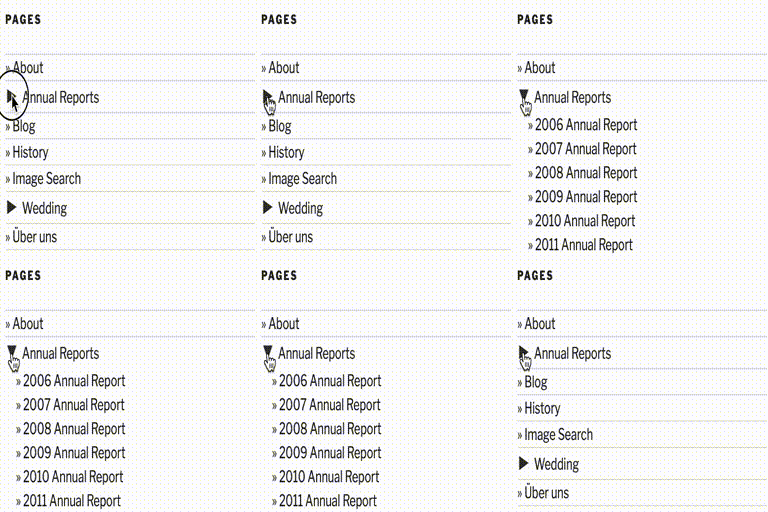
This plugin uses Javascript to dynamically expand or collapsable the set of pages for each parent page.

By Brian
The WordPress coupon plugin for designed, printable coupons. Build one or upload an image, set an expiration, print. Twelve free templates included.

By asymetria
A store locator built on Leaflet and OpenStreetMap. No Google Maps API key, no billing account, no third-party map cookies.
The most advanced Audio Player for Music & Podcast. For Elementor, Gutenberg, WooCommerce and more. Add unlimited players to any pages!

By Ciprian Popescu
For site owners who want an honest hardening checklist, not a heavy security suite: what to fix in WordPress, and what to ask your host for.

By Liton Arefin
Best WordPress Announcements Plugin integrated with Custom Post Type. WP Awesome Announcements based on latest jQuery UI.

By Peripatus Web Design
An overlay for the block editor to make it easier to use.
CHOOSE WHAT YOUR WEBSITE NEEDS
Start with the task you need to solve. Compare features, WordPress and PHP requirements, update history and the author’s documentation. Test changes on a private copy and avoid adding several plugins for the same job.
This independent directory displays plugin information on WebFulHost and links to the official source. Packages are not mirrored or installed here. A plugin can include paid extensions or services with separate terms from its author.

