

Create a responsive Blog Filter Post Grid to showcase posts. Let visitors filter by Category or Tag easily using Ajax. Supports Elementor and Divi.
★ 4.9/5 (81)7,000+ active installations
- Version
- 1.8.7
- WordPress
- 5.0+
- PHP
- 7.0+
- Updated
- 1 Sep 2026
WORDPRESS RESOURCES
Explore public plugin information from the official WordPress.org directory. Compare what a plugin does, its requirements and update history before adding it to your website.
Explore WordPress hosting →1,976 matching plugins reported by WordPress.org · Page 20 of 50
Source: WordPress.org
Data refreshed 25 Nov 2026 05:12 UTC
Create a responsive Blog Filter Post Grid to showcase posts. Let visitors filter by Category or Tag easily using Ajax. Supports Elementor and Divi.

By Togra Studio
Turn WordPress features on or off from one screen. Every switch states what it changes before you save it.

Automate your WordPress workflows by connecting your plugins, sites, and apps with this powerful no-code automation plugin! AI assistant included!
Show a waitlist form on out-of-stock products and automatically email subscribers when items are restocked. Turn lost sales into customers.

By Syed Balkhi
Turn WordPress into a private intranet in one click. Restrict access to logged-in members, with auto-logout and login redirect, also on multisite.
By WP Darko
The simplest way of controlling who sees what in your posts/pages. Restrict content to logged in users only (or guests, or by roles) with simple short …
By Mike Kipruto
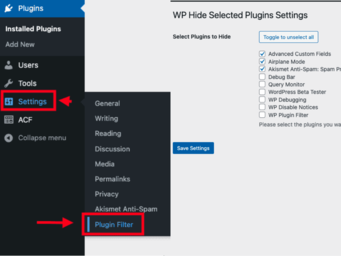
WP Plugin Filter lets you easily hide unnecessary plugins from the WordPress admin dashboard, streamlining plugin management.

By CreativeMindsSolutions
Create and customize popups. Display messages, Call to actions, promotions, or announcements to engage visitors and boost interaction.

By Cozy Vision Technologies Pvt. Ltd.
WooCommerce SMS notifications, COD OTP verification, OTP login, abandoned cart reminders and order updates for customers and admins.
The #1 WooCommerce shipment tracking plugin. Add tracking numbers, auto-update order status & send branded shipping notifications. 1010+ carriers.

By Jeff Farthing
Frontend login, registration and password reset pages that match your theme, at your own URLs, instead of the default wp-login.php screen.

By Paul Ryan
Authorizer limits login attempts, restricts access to specific users, and authenticates against external sources (OAuth2, Google, LDAP, or CAS).
CHOOSE WHAT YOUR WEBSITE NEEDS
Start with the task you need to solve. Compare features, WordPress and PHP requirements, update history and the author’s documentation. Test changes on a private copy and avoid adding several plugins for the same job.
This independent directory displays plugin information on WebFulHost and links to the official source. Packages are not mirrored or installed here. A plugin can include paid extensions or services with separate terms from its author.

