Build a WordPress site for live videochat, private readings or expert consultations with optional pay-per-minute calls.
★ 4.2/5 (22)10+ active installations
- Version
- 8.1.4.1
- WordPress
- 6.9+
- PHP
- 8.2+
- Updated
- 25 Nov 2026
View plugin details ↗Get near real-time WooCommerce order alerts, desktop notifications, quick admin previews, and signed printable invoices.
0+ active installations
- Version
- 1.4.2
- WordPress
- 6.5+
- PHP
- 7.4+
- Updated
- 29 Aug 2026
View plugin details ↗A simple self-hosted live chat widget for WordPress.
0+ active installations
- Version
- 1.0.63
- WordPress
- 6.2+
- PHP
- 8.0+
- Updated
- 11 Oct 2026
View plugin details ↗Add a product video popup to WooCommerce: shoppers watch your demo or review video (YouTube, Vimeo, MP4) and add to cart without leaving the page.
0+ active installations
- Version
- 1.1.0
- WordPress
- 6.3+
- PHP
- 7.4+
- Updated
- 13 Nov 2026
View plugin details ↗Grade your content on how robotic or AI-generated it sounds. Get a score out of 100 and see exactly which sentences need a human touch.
0+ active installations
- Version
- 1.2.1
- WordPress
- 6.0+
- PHP
- 7.4+
- Updated
- 15 May 2026
View plugin details ↗Web synthesizer with a MIDI keyboard. Created using artificial intelligence.
0+ active installations
- Version
- 1.1.2
- WordPress
- 6.2+
- PHP
- 8.0+
- Updated
- 17 Nov 2026
View plugin details ↗A self-hosted WordPress customer-support chat widget and agent inbox, with a REST API for companion applications.
0+ active installations
- Version
- 0.5.12
- WordPress
- 6.4+
- PHP
- 7.4+
- Updated
- 16 Nov 2026
View plugin details ↗Add a smart AI chatbot to your WordPress site. It answers visitor questions from your own site content. From 8€ incl. VAT/month, GDPR-compliant.
0+ active installations
- Version
- 2.6.1
- WordPress
- 6.4+
- PHP
- 8.1+
- Updated
- 16 Aug 2026
View plugin details ↗OxyLeaf helps users improve focus and boost productivity with customizable ambient soundscapes and beautiful backgrounds.
0+ active installations
- Version
- 1.0.2
- WordPress
- 6.4+
- PHP
- 8.2+
- Updated
- 4 Jan 2026
View plugin details ↗Guests order from their table via QR code, staff open tables with a PIN, the kitchen gets a ticket. Plus table reservations on your floor plan.
0+ active installations
- Version
- 1.4.5
- WordPress
- 6.5+
- PHP
- 7.4+
- Updated
- 24 Nov 2026
View plugin details ↗Replace default browser alerts with beautiful, customizable boxes. Perfect for developers wanting better notifications without code changes.
0+ active installations
- Version
- 1.1.2
- WordPress
- 5.0+
- Updated
- 30 Jul 2026
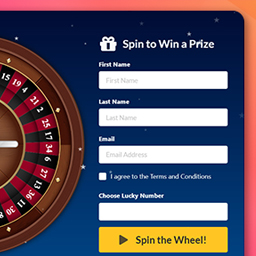
View plugin details ↗Engage visitors, converting valuable traffic into buyers & subscribers. Visitors spin the wheel, win an auto-generated coupon or prize and have a …
30+ active installations
- Version
- 1.0.1
- WordPress
- 4.8+
- PHP
- 5.6.20+
- Updated
- 8 Sep 2026
View plugin details ↗