Accordion And Collapse is the most easiest drag & drop accordion builder for WordPress. You can add multiple accordion and collapse with this.
★ 4.6/5 (676)30,000+ active installations
- Version
- 2.5.3
- WordPress
- 5.0+
- Updated
- 15 Oct 2025
WORDPRESS RESOURCES
Explore public plugin information from the official WordPress.org directory. Compare what a plugin does, its requirements and update history before adding it to your website.
Explore WordPress hosting →6,971 matching plugins reported by WordPress.org · Page 20 of 50
Source: WordPress.org
Data refreshed 22 Nov 2026 10:29 UTC
Accordion And Collapse is the most easiest drag & drop accordion builder for WordPress. You can add multiple accordion and collapse with this.

By Ryan Welcher
Transform your Query Loop blocks into powerful, flexible content engines! 🚀
A lightweight WordPress plugin for performance, security, cleanup, and everyday tweaks.

By WordPress.org
Posting images, links, and cat gifs will never be the same.

By Wp Enhanced
Let your users reset their forgotten passwords from the frontend of your website.
By porteaudesign
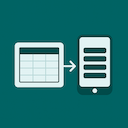
A lightweight Elementor widget for creating responsive tables that stack into mobile-friendly cards.

By wooassist
Hide titles on a per post/page basis. Must be using the Storefront theme.

By Andreas Ostheimer
Review comment counts, clean up selected types in resumable batches, export CSV, or disable public comments from one admin screen.

By iconicbits
Easily add a Copy to Clipboard button with a customizable copy box to your WordPress posts and pages using the Gutenberg block editor.
Build responsive off-canvas menus, drawer menus, and exit intent popups with a lightweight Gutenberg block. Includes advanced triggers & analytics.
Show and hide fields. Send certain email, don't send others. Redirect to one of many pages. The possibilities are endless!

By Nikhil G
Essential WordPress debug tool: View/download logs, toggle debug settings & inspect server info. Troubleshoot PHP errors & site issues faster!
CHOOSE WHAT YOUR WEBSITE NEEDS
Start with the task you need to solve. Compare features, WordPress and PHP requirements, update history and the author’s documentation. Test changes on a private copy and avoid adding several plugins for the same job.
This independent directory displays plugin information on WebFulHost and links to the official source. Packages are not mirrored or installed here. A plugin can include paid extensions or services with separate terms from its author.