

GenerateBlocks
By Tom
A small collection of lightweight WordPress blocks that can accomplish nearly anything.
★ 4.9/5 (122)200,000+ active installations
- Version
- 2.5.1
- WordPress
- 6.7+
- PHP
- 7.2+
- Updated
- 10 Nov 2026
WORDPRESS RESOURCES
Explore public plugin information from the official WordPress.org directory. Compare what a plugin does, its requirements and update history before adding it to your website.
Explore WordPress hosting →10,000 matching plugins reported by WordPress.org · Page 21 of 50
Source: WordPress.org
Data refreshed 25 Nov 2026 21:08 UTC
By Tom
A small collection of lightweight WordPress blocks that can accomplish nearly anything.

By Softaculous
YouTube feeds for WordPress with simple Setup and Settings options.
By add-ons.org
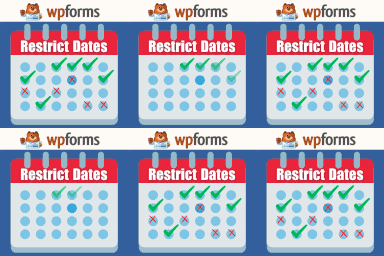
Restrict Dates is a WPForms add-on that restricts users from selecting specific dates in your WPForms date picker field.
By Tim Eckel
Minify HTML output for clean looking markup and faster downloading.

Embed secure, responsive iFrames in WordPress with Elementor or Gutenberg. Supports lazy loading, auto-height, and dynamic URLs. No coding required.
Supercharge WooCommerce with FREE Abandoned Cart Recovery, Product Variation Swatches, PDF Invoices & 100+ tools. Boost sales & save time.

By Gergely Csécsey
Barion Pixel integration for WooCommerce with full e-commerce event tracking, cookie consent support, and WP Consent API compatibility.

By joothemes
Create reusable FAQ sets with categories, search, eight themes, shortcodes and FAQPage structured data.
Complete WordPress LMS plugin. Build & sell online courses with quizzes, certificates, and built-in payments. The all-in-one LMS for course creators.

By Cool Plugins
The Events Calendar Elementor widgets help you manage and display an upcoming events list with date, time, venue and event ticket booking details.
Enhancing core Gutenberg blocks with advanced page builder controls, eliminating the need for third-party blocks to build professional websites.
Documentation, FAQ & Knowledge Base plugin to create docs, FAQs, product FAQ, wikis & help center with MCP, AI writing, instant answers & AI Chatbot.
CHOOSE WHAT YOUR WEBSITE NEEDS
Start with the task you need to solve. Compare features, WordPress and PHP requirements, update history and the author’s documentation. Test changes on a private copy and avoid adding several plugins for the same job.
This independent directory displays plugin information on WebFulHost and links to the official source. Packages are not mirrored or installed here. A plugin can include paid extensions or services with separate terms from its author.



