Maxbuttons is the best and easiest button plugin for WordPress. Within minutes you can create beautiful buttons, share buttons and social icons.
★ 4.9/5 (1,093)70,000+ active installations
- Version
- 9.8.6
- WordPress
- 5.0+
- PHP
- 7.0+
- Updated
- 30 Sep 2026
View plugin details ↗Create WooCommerce product feeds for Google Shopping, Facebook, TikTok & 220+ channels. 2026 compliant. 6 formats.
★ 4.6/5 (840)90,000+ active installations
- Version
- 8.0.46
- WordPress
- 6.6+
- PHP
- 7.4+
- Updated
- 23 Nov 2026
View plugin details ↗Insert Ads On Post allow you to insert ads in post content or in single post and page post, ad position is above and below post content.
★ 5.0/5 (2)100+ active installations
- Version
- 1.2.2
- Updated
- 17 Apr 2025
View plugin details ↗AI SEO plugin for WordPress: llms.txt, FAQ schema, Markdown, AEO and GEO signals so ChatGPT, Gemini, Claude and Perplexity can read your content.
★ 4.8/5 (5)600+ active installations
- Version
- 1.5.0
- WordPress
- 6.9+
- PHP
- 7.4+
- Updated
- 12 Nov 2026
View plugin details ↗A powerful and flexible WordPress event calendar plugin that lets you display your events in multiple calendar views, just like Google Calendar.
★ 4.3/5 (46)900+ active installations
- Version
- 1.4.45
- WordPress
- 3.0.5+
- Updated
- 16 Nov 2026
View plugin details ↗Create responsive photo, image and masonry galleries in WordPress with FooGallery, plus carousel, lightbox, albums, SEO and video gallery support.
★ 4.8/5 (1,001)100,000+ active installations
- Version
- 3.3.37
- WordPress
- 6.8+
- PHP
- 7.2+
- Updated
- 9 Nov 2026
View plugin details ↗Create images for your posts and articles with ClipCloud AI — automatically, conveniently, and fast. Always a free plan.
★ 5.0/5 (1)400+ active installations
- Version
- 1.5.0
- WordPress
- 6.0+
- PHP
- 5.6+
- Updated
- 19 Nov 2026
View plugin details ↗A block for embedding a beautiful audio player.
★ 5.0/5 (10)2,000+ active installations
- Version
- 1.6.5
- WordPress
- 6.5+
- PHP
- 7.1+
- Updated
- 19 Nov 2026
View plugin details ↗Cookie consent for GDPR, CCPA, ePrivacy: autoblocking, Google Consent Mode, Microsoft Consent Mode (Pro), GPC (Pro), WP Consent API.
★ 4.8/5 (3,027)800,000+ active installations
- Version
- 3.1.20
- WordPress
- 4.9.6+
- PHP
- 7.4+
- Updated
- 20 Nov 2026
View plugin details ↗GutenBee enhances the Gutenberg editor with more blocks!
★ 4.9/5 (18)6,000+ active installations
- Version
- 2.20.5
- WordPress
- 7.0+
- PHP
- 7.4+
- Updated
- 22 Oct 2026
View plugin details ↗Embed self-hosted MP4, HLS (.m3u8), and DASH videos with a responsive video player featuring playlists, subtitles, and Gutenberg support.
★ 4.2/5 (30)2,000+ active installations
- Version
- 1.8.19
- WordPress
- 6.5+
- PHP
- 7.4+
- Updated
- 17 Nov 2026
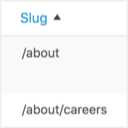
View plugin details ↗Adds a URL path column to all admin post type edit screens. Works with posts, pages, and any custom post type including WooCommerce products.
★ 4.9/5 (31)5,000+ active installations
- Version
- 2.0.2
- WordPress
- 5.2+
- PHP
- 7.4+
- Updated
- 20 Aug 2026
View plugin details ↗