Developed exclusively between Payment Plugins and PayPal, PayPal for WooCommerce integrates with PayPal's newest API's.
★ 4.8/5 (127)80,000+ active installations
- Version
- 2.0.30
- WordPress
- 4.7+
- PHP
- 7.4+
- Updated
- 19 Nov 2026
View plugin details ↗A complete WordPress security firewall: blocks IPs, bots, countries & ASN. Includes an intelligent WAF, Threat Scoring, Geo-Challenge, and 2FA.
★ 4.9/5 (28)3,000+ active installations
- Version
- 8.13.28
- WordPress
- 5.9+
- PHP
- 8.1+
- Updated
- 19 Nov 2026
View plugin details ↗Create beautiful horizontal and vertical timelines in Gutenberg. Customizable themes to showcase stories, events, projects, and milestones.
★ 5.0/5 (6)3,000+ active installations
- Version
- 1.5.8
- WordPress
- 6.5+
- PHP
- 7.4+
- Updated
- 17 Nov 2026
View plugin details ↗Shows a preview of any shortcode in the editor. It renders the shortcode on the editor side so you do not need to view the front end to see the result …
★ 3.7/5 (3)1,000+ active installations
- Version
- 1.1.0
- WordPress
- 6.3+
- PHP
- 7.2+
- Updated
- 29 Oct 2026
View plugin details ↗VK Dynamic If Block displays its Inner Blocks based on specified conditions, such as whether the current page is the front page or a single post, the …
★ 5.0/5 (2)4,000+ active installations
- Version
- 1.6.1
- WordPress
- 6.4+
- PHP
- 7.4+
- Updated
- 19 May 2026
View plugin details ↗Nine schema blocks - FAQ, Review, Recipe, Product, Event, Local Business, How-To, Job Posting, Breadcrumb - emitted as one JSON-LD graph.
★ 5.0/5 (2)30+ active installations
- Version
- 2.4.1
- WordPress
- 6.5+
- PHP
- 8.0+
- Updated
- 22 Oct 2026
View plugin details ↗Slider & Carousel Block For the Block Editor (Gutenberg). Create Beautiful Sliders and Carousels With Ease.
★ 5.0/5 (7)2,000+ active installations
- Version
- 1.2.5
- WordPress
- 5.8+
- Updated
- 8 Nov 2026
View plugin details ↗Create a list with an icon with this block plugin.
★ 3.7/5 (6)4,000+ active installations
- Version
- 1.2.10
- WordPress
- 6.5+
- PHP
- 7.4+
- Updated
- 17 Nov 2026
View plugin details ↗Easily add customizable call to action blocks in your posts and pages with the Call To Action Customizable Block for Gutenberg.
★ 5.0/5 (1)1,000+ active installations
- Version
- 1.1.4
- PHP
- 5.6+
- Updated
- 25 Sep 2026
View plugin details ↗Add SVG icons to the WordPress block editor: 1,800+ Font Awesome icons, custom SVG code, safe SVG uploads and a reusable icon library.
1,000+ active installations
- Version
- 1.2.1
- WordPress
- 6.0+
- PHP
- 7.4+
- Updated
- 14 Nov 2026
View plugin details ↗Roll back (or forward) any WordPress.org plugin, theme, or block like a boss.
★ 4.9/5 (215)200,000+ active installations
- Version
- 3.4.0
- WordPress
- 6.5+
- PHP
- 7.4+
- Updated
- 11 Nov 2026
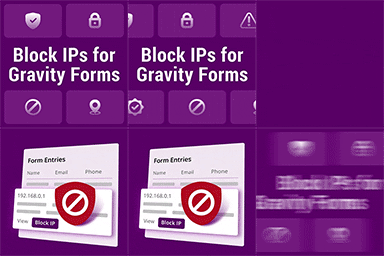
View plugin details ↗Block IPs in your gravity forms
★ 5.0/5 (16)1,000+ active installations
- Version
- 1.0.3
- WordPress
- 4.0+
- PHP
- 7.2.0+
- Updated
- 11 Sep 2026
View plugin details ↗