
Show a dashboard notification to remind you that 'Discourage Search Engines' is still enabled in the settings.
★ 5.0/5 (2)100+ active installations
- Version
- 1.6.1
- WordPress
- 4.6+
- Updated
- 8 Jul 2025
WORDPRESS RESOURCES
Explore public plugin information from the official WordPress.org directory. Compare what a plugin does, its requirements and update history before adding it to your website.
Explore WordPress hosting →1,478 matching plugins reported by WordPress.org · Page 21 of 50
Source: WordPress.org
Data refreshed 20 Nov 2026 19:00 UTC
Show a dashboard notification to remind you that 'Discourage Search Engines' is still enabled in the settings.
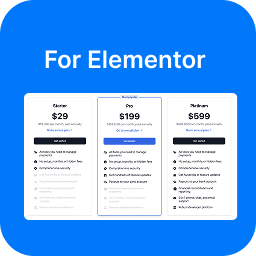
By Payment Addons
Beautiful, conversion-ready pricing tables for Elementor — with a monthly/yearly billing toggle, rich feature lists, and deep design customization.

By OSMD
Block or shortcode to render MusicXML in the browser as sheet music and Music Braille using OSMD.

By Nilo Velez
Quevedo is a suite of tools for bloggers and content creators.

By 30 Lines
Connects property information to any WordPress site to help market your apartments. Supports data feeds from: Yardi RentCafe, Entrata, RealPage, and m …
AI Writing Assistant, Chatbot, and virtual support all-in-one! Answer customer queries and generate content easily. Works with ChatGPT and Gemini.

Securely hide products and categories by user role or country. Perfect for B2B, wholesale, and private membership stores.

By Sabuj Kundu
A plugin to create interactive feature tour/User Walkthroughs/Guided Tours for product, service or any feature demonstration

By Conformitico
Right-of-withdrawal toolkit (Directive 2023/2673): form, checkout consents, model form, Article 16 exclusions. With or without WooCommerce.
WordPress appointment booking calendar with online scheduling for salons, clinics, wellness, fitness and all service businesses.
Run a WordPress live streaming platform with WebRTC, HLS, RTMP, OBS/IP camera inputs, channels, chat, scheduling, memberships, and PPV.

By adeleyeayodeji
Integrate Ade Custom Shipping to your WooCommerce website and take control of your shipping options.
CHOOSE WHAT YOUR WEBSITE NEEDS
Start with the task you need to solve. Compare features, WordPress and PHP requirements, update history and the author’s documentation. Test changes on a private copy and avoid adding several plugins for the same job.
This independent directory displays plugin information on WebFulHost and links to the official source. Packages are not mirrored or installed here. A plugin can include paid extensions or services with separate terms from its author.