

FAQ Block For Gutenberg
By Dilip Bheda
This plugin provides a quick and easy way to add FAQ's block using Gutenberg visual editor.
★ 4.4/5 (8)4,000+ active installations
- Version
- 2.7
- WordPress
- 5.0+
- PHP
- 7.2+
- Updated
- 7 Jul 2026
WORDPRESS RESOURCES
Explore public plugin information from the official WordPress.org directory. Compare what a plugin does, its requirements and update history before adding it to your website.
Explore WordPress hosting →8,329 matching plugins reported by WordPress.org · Page 21 of 50
Source: WordPress.org
Data refreshed 26 Nov 2026 02:30 UTC
By Dilip Bheda
This plugin provides a quick and easy way to add FAQ's block using Gutenberg visual editor.

By Protect Uploads
Protect your uploads directory. Prevent browsing, password-protect files, add watermarks, and discourage right-click copying.

By OVAN
فونت فارسی (FontX) به راحتی فونت های فارسی دلخواه خود را به سایت اضافه کنید و اندازه فونت ها را متناسب با نیاز خود تغییر دهید

By Adrian Mörchen
Embed Google Fonts tries to automatically replace registered Google Fonts from themes and plugin with local versions, directly loaded from your own se …

By nasir179125
A collection of customizable elements for WPBakery Page Builder.

By WPDeveloper
Instantly create beautiful pricing menu for eCommerce website.
Easily add a range of custom fields to WooCommerce products, from text boxes to date selectors, allowing customers to personalize their orders.

By AnalogWP
Power-up your Elementor workflow with global theme style presets, container-based patterns, and more global design controls.

By Binsaifullah
Add SVG icons to the WordPress block editor: 1,800+ Font Awesome icons, custom SVG code, safe SVG uploads and a reusable icon library.

By Jim Roberts
Advanced fluid typography calculator with CSS clamp() generation for responsive font scaling across all device sizes.
By Web Builder 143
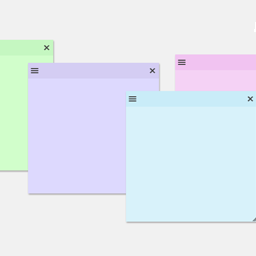
Create sticky notes in your WP admin for reminders and to-dos. Restrict notes by user roles and disable them on specific pages.
Self-host Google Analytics v4 or use Minimal Analytics, a lightweight gtag.js alternative, to improve site speed and enhance privacy.
CHOOSE WHAT YOUR WEBSITE NEEDS
Start with the task you need to solve. Compare features, WordPress and PHP requirements, update history and the author’s documentation. Test changes on a private copy and avoid adding several plugins for the same job.
This independent directory displays plugin information on WebFulHost and links to the official source. Packages are not mirrored or installed here. A plugin can include paid extensions or services with separate terms from its author.

