A lightweight WordPress maintenance & coming soon plugin with live visual editing, modern templates, SEO protection, and zero bloat.
★ 3.5/5 (4)3,000+ active installations
- Version
- 5.3
- WordPress
- 6.2+
- PHP
- 7.4+
- Updated
- 2 Sep 2026
WORDPRESS RESOURCES
Explore public plugin information from the official WordPress.org directory. Compare what a plugin does, its requirements and update history before adding it to your website.
Explore WordPress hosting →1,945 matching plugins reported by WordPress.org · Page 21 of 50
Source: WordPress.org
Data refreshed 24 Nov 2026 04:50 UTC
A lightweight WordPress maintenance & coming soon plugin with live visual editing, modern templates, SEO protection, and zero bloat.

By f1logic
Add HTML, CSS and javascript code to your pages and posts easily using shortcodes.
Build stunning and high-converting optins & popups with OptinCraft, the powerful WordPress drag and drop popup builder & popup maker to boost sales.

By Christiaan Pieterse
Build professional WordPress sites faster. All features free forever. No locked blocks. Optional Cloud Library saves you time.

By Hook Master
A polished, fully customizable "Coming Soon" page for sites under construction — four built-in themes, no code required.

By omnipress
A powerful Gutenberg plugin with pre-built patterns, advanced blocks, and demo sites to speed up website creation using Full Site Editing.
Build a modern online community in WordPress: spaces, social feeds, discussion forum, events, polls, member profiles, chat and support tickets.
By vectormapper
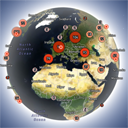
Interactive 3D globe that shows your website visitors worldwide in real time and historically, with a fast lightweight Land Cover skin.

Create popup, optin forms using easy form builder & popup maker. Send automated email to subscribers — Mailchimp, ActiveCampaign, Campaign Monitor etc

WooCommerce abandoned cart recovery, Newsletters, Email campaigns, Subscription forms, Popups and Email Marketing Automation plugin
Add a customizable Scroll to Top button and Reading Progress Bar. Smooth scroll up, 16+ styles, and mobile responsiveness for better navigation.

By SiteCare
One forgotten setting can hide your site from Google. A red/green eye shows visibility at a glance, plus a one-click fix and instant email alerts.
CHOOSE WHAT YOUR WEBSITE NEEDS
Start with the task you need to solve. Compare features, WordPress and PHP requirements, update history and the author’s documentation. Test changes on a private copy and avoid adding several plugins for the same job.
This independent directory displays plugin information on WebFulHost and links to the official source. Packages are not mirrored or installed here. A plugin can include paid extensions or services with separate terms from its author.