

Visibility Doctor for WooCommerce
By timaub
Tells you why a WooCommerce product is not listed in the shop, not found by search, or not purchasable. Read-only.
0+ active installations
- Version
- 1.0.0
- WordPress
- 6.8+
- PHP
- 7.4+
- Updated
- 26 Oct 2026
WORDPRESS RESOURCES
Explore public plugin information from the official WordPress.org directory. Compare what a plugin does, its requirements and update history before adding it to your website.
Explore WordPress hosting →912 matching plugins reported by WordPress.org · Page 21 of 50
Source: WordPress.org
Data refreshed 20 Nov 2026 22:28 UTC
By timaub
Tells you why a WooCommerce product is not listed in the shop, not found by search, or not purchasable. Read-only.

By stonemanhero
Detects hidden users, rogue admin capabilities, cloaked posts, hidden plugins, themes, and stealth WP-Cron jobs through differential auditing.

By solotop
Scheduled security scanning (files/DB/config), baseline/integrity checks, safe quarantine & rollback, and hardening for WordPress.

By WPTwins
Evidence for performance investigations, update comparisons and client reports.

By Blobfolio
A simple, light-weight collection of tools to harden WordPress security and help mitigate common types of attacks.

By theMikeD
Create and manage taxonomy images for themes using the Genesis framework. Based on "Genesis Taxonomy Images" plugin Copyright 2013 Ade Walke …

By IndiaTVDNA | WordPress Plugins & Themes
WordPress performance diagnostics with 27 Free tool screens, error investigation, slow-query analysis and opt-in monitoring.

By Benaceur
Restrict the usernames, email addresses, characters and symbols or email from specific domain names or language in registration ...

By artiosmedia
Manage and display customer reviews using shortcodes. Includes form, list, slider, masonry, column, summary, and floating widget display options.
By scribu
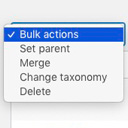
Allows you to merge terms, move terms between taxonomies, and set term parents, individually or in bulk.

By BodhiWP
Automatically detect & recover from plugin or theme crashes with smart error handling and instant recovery options.

By Syed Balkhi
Turn WordPress into a private intranet in one click. Restrict access to logged-in members, with auto-logout and login redirect, also on multisite.
CHOOSE WHAT YOUR WEBSITE NEEDS
Start with the task you need to solve. Compare features, WordPress and PHP requirements, update history and the author’s documentation. Test changes on a private copy and avoid adding several plugins for the same job.
This independent directory displays plugin information on WebFulHost and links to the official source. Packages are not mirrored or installed here. A plugin can include paid extensions or services with separate terms from its author.