

Lottie Player lets you embed any type of LottieFiles animations into WordPress Gutenberg blocks. Enhances your website with dynamic motion graphics.
★ 5.0/5 (4)4,000+ active installations
- Version
- 1.3.1
- WordPress
- 6.5+
- PHP
- 7.4+
- Updated
- 17 Nov 2026
WORDPRESS RESOURCES
Explore public plugin information from the official WordPress.org directory. Compare what a plugin does, its requirements and update history before adding it to your website.
Explore WordPress hosting →10,000 matching plugins reported by WordPress.org · Page 21 of 50
Source: WordPress.org
Data refreshed 25 Nov 2026 16:04 UTC
Lottie Player lets you embed any type of LottieFiles animations into WordPress Gutenberg blocks. Enhances your website with dynamic motion graphics.

By HasThemes
WP Plugin Manager lets you disable plugins on specific pages and posts so they only load where needed. No code required.

By Nexcess
The Events Calendar: #1 calendar plugin for WordPress. Create/manage events (virtual too!) on your site with the free plugin.

By Nikki Blight
The Scheduled Announcements Widget lets you add a scrolling list of site announcements anywhere on your site.
Display any RSS feed(s) in widget with news ticker effect in multiple tabs, thumbnails, customizable color themes and more.

By HoliThemes
WhatsApp Chat🔥. Let's make your Web page visitors contact you through 'WhatsApp', 'WhatsApp Business'. Add matching Widget✅

By Miguel Useche
A simple Gutenberg block and JS widget (can be called from posts) for displaying categories in a list with some effects.

By jetmonsters
20+ Premium widgets for Elementor, including Advanced Slider, Instagram, Google Maps, Advanced Accordion, Post Grid.

By megamenu
An easy to use mega menu plugin. Written the WordPress way.

By JetixWP Plugins
Really Simple Featured Video lets you add product video & featured video to WooCommerce Products & Posts, Pages, CPTs (with featured images) a …

By Broadstreet
Easily upload ad images and ad code to your sidebar. For those that don't need or want a complicated ad management system.
By Jory Hogeveen
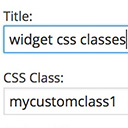
Add custom classes and ids plus first, last, even, odd, and numbered classes to your widgets.
CHOOSE WHAT YOUR WEBSITE NEEDS
Start with the task you need to solve. Compare features, WordPress and PHP requirements, update history and the author’s documentation. Test changes on a private copy and avoid adding several plugins for the same job.
This independent directory displays plugin information on WebFulHost and links to the official source. Packages are not mirrored or installed here. A plugin can include paid extensions or services with separate terms from its author.
