Showcase WooCommerce product categories in sliders, grids, or blocks with styling control, responsive layouts, and shortcode support
★ 5.0/5 (5)1,000+ active installations
- Version
- 2.4.1
- WordPress
- 5.2+
- PHP
- 7.4+
- Updated
- 24 Aug 2026
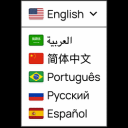
View plugin details ↗Translate your WordPress site with a polished Google Translate language switcher for instant visitor translation.
★ 4.4/5 (12)3,000+ active installations
- Version
- 2.3.0
- WordPress
- 6.5+
- PHP
- 7.4+
- Updated
- 7 Oct 2026
View plugin details ↗Print the entire page or part of any web page with just a single click.
★ 4.9/5 (7)1,000+ active installations
- Version
- 1.3.3
- WordPress
- 6.5+
- PHP
- 7.1+
- Updated
- 18 Nov 2026
View plugin details ↗Build photo galleries, image galleries, and portfolio grids with gallery blocks. Masonry, lightbox, sliders, and filters included.
★ 4.8/5 (343)50,000+ active installations
- Version
- 3.11.0
- WordPress
- 6.2+
- PHP
- 8.3+
- Updated
- 17 Nov 2026
View plugin details ↗Show finished projects as case studies with client, dates, value and project links in a grid, slider or list. No coding needed.
★ 5.0/5 (6)200+ active installations
- Version
- 3.0.5
- WordPress
- 6.0+
- PHP
- 7.4+
- Updated
- 3 Nov 2026
View plugin details ↗Embed self-hosted MP4, HLS (.m3u8), and DASH videos with a responsive video player featuring playlists, subtitles, and Gutenberg support.
★ 4.2/5 (30)2,000+ active installations
- Version
- 1.8.19
- WordPress
- 6.5+
- PHP
- 7.4+
- Updated
- 17 Nov 2026
View plugin details ↗Create Two Buttons To Be Stacked Together
★ 5.0/5 (1)100+ active installations
- Version
- 1.3.3
- WordPress
- 6.0+
- PHP
- 7.4+
- Updated
- 15 Nov 2026
View plugin details ↗Use any of 1,900+ Google Fonts, hosted locally on your own server. GDPR-friendly, fast, with full typography control.
★ 5.0/5 (2)40+ active installations
- Version
- 2.0.0
- WordPress
- 5.0+
- PHP
- 7.0+
- Updated
- 7 Nov 2026
View plugin details ↗Add a review rating block with a score from 1 to 10 to your post. Adds schema.org meta data for Rich Results in search engines.
★ 5.0/5 (3)90+ active installations
- Version
- 5.0.1
- WordPress
- 5.9+
- PHP
- 7.0+
- Updated
- 17 May 2026
View plugin details ↗Create responsive, accessible tabs in minutes. Unlimited tabs, templates, Gutenberg block, shortcode and widget. Pro adds dynamic and nested tabs.
★ 4.0/5 (4)1,000+ active installations
- Version
- 3.0.0
- WordPress
- 5.8+
- PHP
- 7.2+
- Updated
- 11 Nov 2026
View plugin details ↗Generate and coordinate colors, typography, and spacing across compatible WordPress themes and blocks.
★ 1.0/5 (1)500+ active installations
- Version
- 2.7.0
- WordPress
- 6.5+
- PHP
- 8.1+
- Updated
- 27 Sep 2026
View plugin details ↗Add a responsive sliding SideMenu to your WordPress site with the SideMenu block.
★ 4.8/5 (25)900+ active installations
- Version
- 2.0
- WordPress
- 6.2+
- PHP
- 7.0+
- Updated
- 14 Aug 2026
View plugin details ↗