Best WordPress scroll to top plugin. Fully customizable back to top button with smooth scrolling, keyboard shortcut, and advanced styling.
★ 2.0/5 (2)2,000+ active installations
- Version
- 1.3.7
- WordPress
- 6.0+
- Updated
- 13 Nov 2026
View plugin details ↗Free Bricks addons: 20 elements for Bricks Builder, including stylers for Contact Form 7, Gravity Forms, Fluent Forms and Formidable Forms.
★ 4.9/5 (9)1,000+ active installations
- Version
- 1.7.4
- WordPress
- 6.8+
- PHP
- 7.4+
- Updated
- 15 Oct 2026
View plugin details ↗Upload your own social media icons or choose from font-awesome. Use widget|shortcode to place icons anywhere(sidebar, header, footer, page) in theme.
★ 4.4/5 (84)20,000+ active installations
- Version
- 4.0.3
- WordPress
- 5.0+
- PHP
- 7.0+
- Updated
- 1 Nov 2026
View plugin details ↗Load products from next page via AJAX with infinite scrolling or load more products button
★ 4.9/5 (275)10,000+ active installations
- Version
- 3.4
- WordPress
- 5.0+
- PHP
- 7.4+
- Updated
- 16 Nov 2026
View plugin details ↗Marquee, scrolling text and logo carousel widgets for Elementor. Seamless infinite loop, no jQuery, no external requests.
★ 5.0/5 (1)200+ active installations
- Version
- 1.2.1
- WordPress
- 6.2+
- PHP
- 7.4+
- Updated
- 10 Aug 2026
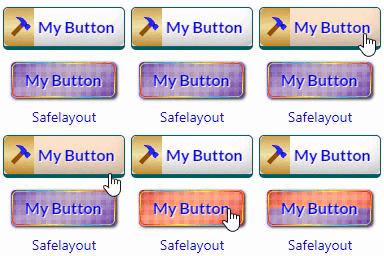
View plugin details ↗Beautiful CSS buttons in Gutenberg, Elementor & Classic Editor. Call to Action buttons with inline SVGs, click animations, after-click loading.
★ 5.0/5 (3)100+ active installations
- Version
- 1.3.1
- WordPress
- 6.5+
- PHP
- 7.0+
- Updated
- 13 Nov 2026
View plugin details ↗Display a customizable notification when users click on external links. Perfect for warning users about leaving your website.
★ 4.0/5 (3)100+ active installations
- Version
- 2.0.2
- WordPress
- 6.0.0+
- PHP
- 7.4+
- Updated
- 18 Sep 2026
View plugin details ↗The ultimate Elementor addon for cross-domain copying, magic copy buttons, and instant page duplication. Build websites faster with one-click design t …
★ 4.3/5 (3)6,000+ active installations
- Version
- 1.5.13
- WordPress
- 6.0+
- PHP
- 7.4.0+
- Updated
- 19 Nov 2026
View plugin details ↗Display Flickr albums on WordPress with lightbox preview and shortcode integration. Refactored for standard repository compliance.
★ 3.9/5 (86)4,000+ active installations
- Version
- 2.2.16
- WordPress
- 5.0+
- PHP
- 7.0+
- Updated
- 10 Aug 2026
View plugin details ↗Responsive WordPress slider plugin. Create responsive image sliders, carousel sliders, video sliders, and slideshows with 12 free layouts.
★ 4.5/5 (13)2,000+ active installations
- Version
- 1.4.5
- WordPress
- 5.0+
- PHP
- 7.2+
- Updated
- 15 Sep 2026
View plugin details ↗It presents products visually engagingly to customers by offering attention-drawing swapping effects for images of products on archive/shop pages.
★ 5.0/5 (1)900+ active installations
- Version
- 1.2.7
- WordPress
- 5.9+
- Updated
- 22 Oct 2026
View plugin details ↗Animates the core Tabs block's panel reveal, with a settings page to choose the effect, duration, and easing.
★ 5.0/5 (1)0+ active installations
- Version
- 0.2.0
- WordPress
- 6.7+
- PHP
- 8.2+
- Updated
- 19 Aug 2026
View plugin details ↗