

Sa Swatches - Variation Swatches for WooCommerce the ultimate solution to enhance your WooCommerce store's product presentation.
0+ active installations
- Version
- 0.1.11
- WordPress
- 6.5+
- PHP
- 7.0+
- Updated
- 2 Oct 2024
WORDPRESS RESOURCES
Explore public plugin information from the official WordPress.org directory. Compare what a plugin does, its requirements and update history before adding it to your website.
Explore WordPress hosting →380 matching plugins reported by WordPress.org · Page 22 of 32
Source: WordPress.org
Data refreshed 27 Nov 2026 19:01 UTC
Sa Swatches - Variation Swatches for WooCommerce the ultimate solution to enhance your WooCommerce store's product presentation.

By MIGHTYminnow
Duplicate any existing widget using the Widget Alias widget and shortcode.

By The CSSIgniter Team
GutenBee enhances the Gutenberg editor with more blocks!

By LiveComposer
Page builder for WordPress with drag and drop header/footer editing, responsive settings, and animations. Compatible with Gutenberg block editor.

By LazyCraft Studio
Lazycraft AI is an AI-powered content generation plugin for WordPress, designed to help users create high-quality articles, blog posts, and other cont …

By wpmeteomatics
The most accurate weather forecast widget for WordPress, powered by the Meteomatics Weather API.
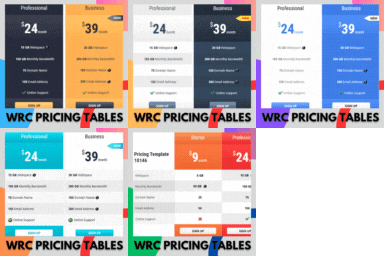
By Realwebcare
Responsive CSS3 pricing tables design to present features and prices of different products. Display pricing tables or comparison table by shortcode.

By Mohamed Endisha
Integrate Google Maps with WooCommerce for easy location selection during checkout and in user account addresses to elevate the shopping experience.
Unleash the full potential of your WooCommerce store with our comprehensive "Upgrade Store" toolkit!
Disable right click to protect your content. Blocks text copying, image dragging, keyboard shortcuts, F12 and developer tools access.

Securely hide products and categories by user role or country. Perfect for B2B, wholesale, and private membership stores.

By Clifton Griffin
Create content templates for your posts and pages. When creating a new post or page use one of your content templates as the starting point!
CHOOSE WHAT YOUR WEBSITE NEEDS
Start with the task you need to solve. Compare features, WordPress and PHP requirements, update history and the author’s documentation. Test changes on a private copy and avoid adding several plugins for the same job.
This independent directory displays plugin information on WebFulHost and links to the official source. Packages are not mirrored or installed here. A plugin can include paid extensions or services with separate terms from its author.

