Floating button for chatting with your visitors via WhatsApp, Messenger, Contact form, and more.
★ 4.5/5 (175)20,000+ active installations
- Version
- 1.9.2
- WordPress
- 2.7+
- Updated
- 28 Sep 2026
View plugin details ↗AI-Powered FAQ Generator. Gutenberg FAQ & Accordion Blocks, Image Accordion, Accordion Slider, WooCommerce Product FAQ – Elementor & Shortcode Ready.
★ 4.9/5 (358)70,000+ active installations
- Version
- 3.2.1
- WordPress
- 5.9+
- PHP
- 7.4+
- Updated
- 12 Nov 2026
View plugin details ↗WP Lightbox 2 adds stunning lightbox effects to images and galleries on your WordPress site.
★ 4.4/5 (89)20,000+ active installations
- Version
- 3.0.7
- WordPress
- 3.0+
- Updated
- 31 Jan 2026
View plugin details ↗YITH WooCommerce Product Slider Carousel allows you to create responsive product sliders!
★ 3.2/5 (20)4,000+ active installations
- Version
- 1.57.0
- WordPress
- 6.9+
- PHP
- 7.4+
- Updated
- 28 Oct 2026
View plugin details ↗A plugin that allows you to remove the animation of the Divi Theme Toggle and Accordion Module.
20+ active installations
- Version
- 1.1.1
- WordPress
- 6.0+
- PHP
- 7.4+
- Updated
- 15 Jul 2026
View plugin details ↗Create responsive, accessible tabs in minutes. Unlimited tabs, templates, Gutenberg block, shortcode and widget. Pro adds dynamic and nested tabs.
★ 4.0/5 (4)1,000+ active installations
- Version
- 3.0.0
- WordPress
- 5.8+
- PHP
- 7.2+
- Updated
- 11 Nov 2026
View plugin details ↗A powerful and customizable gallery block for WordPress.
★ 5.0/5 (9)2,000+ active installations
- Version
- 1.2.1
- WordPress
- 6.0+
- PHP
- 7.4+
- Updated
- 19 Oct 2026
View plugin details ↗Add a WhatsApp chat button, WooCommerce WhatsApp order button & click-to-chat floating widget. Capture leads & convert visitors via chat.
★ 4.4/5 (9)2,000+ active installations
- Version
- 3.7.5
- WordPress
- 5.7+
- PHP
- 7.0+
- Updated
- 20 Nov 2026
View plugin details ↗Display WordPress posts in beautiful grid, list, slider, and filter layouts. Works with Gutenberg, Elementor, Divi, and Shortcodes.
★ 4.8/5 (265)100,000+ active installations
- Version
- 7.9.11
- WordPress
- 4.5+
- PHP
- 7.4+
- Updated
- 11 Nov 2026
View plugin details ↗Responsive Gutenberg tabs — vertical tabs, tabbed content & WooCommerce product tabs. 100+ patterns, lightweight & accessible.
★ 5.0/5 (5)1,000+ active installations
- Version
- 2.0.4
- WordPress
- 6.7+
- PHP
- 7.4+
- Updated
- 21 Oct 2026
View plugin details ↗Services section block for Gutenberg – build a professional "Our Services" section with icons, templates, layouts, and custom colors. No code needed.
★ 4.5/5 (4)2,000+ active installations
- Version
- 1.4.7
- WordPress
- 6.5+
- PHP
- 7.4+
- Updated
- 18 Nov 2026
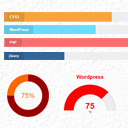
View plugin details ↗Showcase skillsets that you are good at anywhere on your website using this plugin.
★ 4.1/5 (14)1,000+ active installations
- Version
- 3.1
- WordPress
- 5.0+
- PHP
- 7.4+
- Updated
- 29 Jun 2026
View plugin details ↗