
oik
By bobbingwide
Over 80 advanced, powerful shortcodes, and 9 blocks for displaying the content of your WordPress website.
★ 3.7/5 (3)2,000+ active installations
- Version
- 4.16.0
- WordPress
- 5.5+
- Updated
- 5 Sep 2026
WORDPRESS RESOURCES
Explore public plugin information from the official WordPress.org directory. Compare what a plugin does, its requirements and update history before adding it to your website.
Explore WordPress hosting →2,884 matching plugins reported by WordPress.org · Page 22 of 50
Source: WordPress.org
Data refreshed 21 Nov 2026 15:29 UTC
By bobbingwide
Over 80 advanced, powerful shortcodes, and 9 blocks for displaying the content of your WordPress website.

By Ludwig You
Modular WordPress toolkit for security, performance, SMTP, WebP images, code snippets, redirects, administration and more.
Add albums, photo, audio/video upload, privacy, sharing, front-end uploads & more. All this works on mobile/tablets devices.

By Trustindex
Embed Ebay reviews fast and easily into your WordPress site. Increase SEO, trust and sales using Ebay reviews.

By legalweb.io
WP DSGVO Tools (GDPR) by legalweb.io help you to fulfill the GDPR (DSGVO) compliance guidance (GDPR)

By wpformation
Rank in AI, not just in Google. E-E-A-T schemas, GEO citability score, llms.txt and AI Crawler Firewall for WordPress.
By Md Jahid Shah
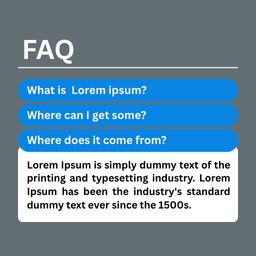
A simple and powerful FAQ Block plugin to showcase your visitor Frequently Asked Questions in an engaging way.

By Alberto Hornero
Frontend login, registration, profile and password reset forms with blocks or shortcodes. WPML certified, reCAPTCHA and WooCommerce compatible.
The best WooCommerce checkout manager. Edit, remove or add checkout fields. Customize WooCommerce checkout with this checkout field customizer.
Single sign on (SSO) login with WordPress Users into any Service Provider like Tableau, Thinkific, Zoom, Moodle LMS, Canvas LMS, Absorb LMS, TalentLMS

By AntoineH
Add some game-day fun to your WordPress site! Let users predict match results, earn points, and go head-to-head in a fantasy sports pool.

By Md Abul Bashar
Esay Full Responsive FAQ Accordion, just go to Accordion post, and add new Accordion. and use this shortcode [cb_faq] in any pages or posts.
CHOOSE WHAT YOUR WEBSITE NEEDS
Start with the task you need to solve. Compare features, WordPress and PHP requirements, update history and the author’s documentation. Test changes on a private copy and avoid adding several plugins for the same job.
This independent directory displays plugin information on WebFulHost and links to the official source. Packages are not mirrored or installed here. A plugin can include paid extensions or services with separate terms from its author.