

BuddyPress Activity Shortcode
By BuddyDev
BuddyPress Activity shortcode plugin allows you to insert BuddyPress activity stream on any page/post using shortcode.
★ 5.0/5 (8)1,000+ active installations
- Version
- 1.1.9
- WordPress
- 4.0+
- Updated
- 31 Dec 2025
WORDPRESS RESOURCES
Explore public plugin information from the official WordPress.org directory. Compare what a plugin does, its requirements and update history before adding it to your website.
Explore WordPress hosting →9,411 matching plugins reported by WordPress.org · Page 22 of 50
Source: WordPress.org
Data refreshed 19 Nov 2026 19:26 UTC
By BuddyDev
BuddyPress Activity shortcode plugin allows you to insert BuddyPress activity stream on any page/post using shortcode.

By WP Table Builder
Drag and Drop Table Builder Plugin. Build Responsive Tables Easily.
By Roland Murg
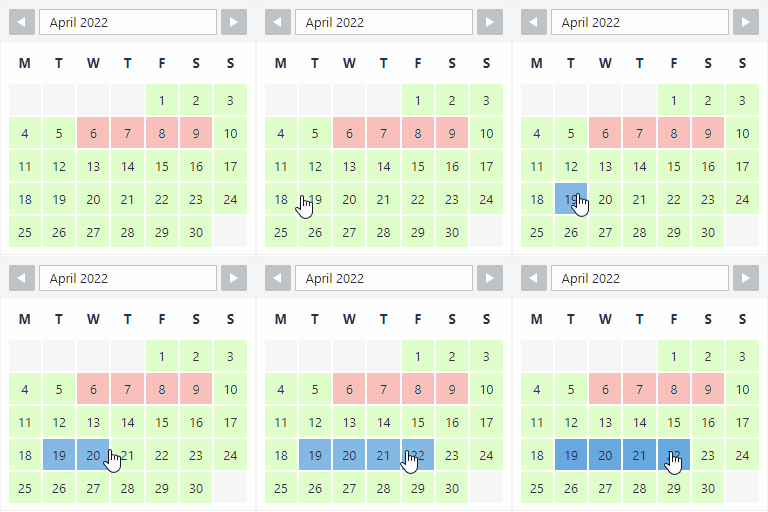
The booking calendar plugin for WordPress. Get easy online booking with this lightweight and powerful booking calendar.
Display list of posts, pages or any custom post types anywhere using block and widget. Show as grid, list or posts slider.

By David Gwyer
Build a responsive HTML sitemap in the block editor with live preview, flexible sorting, tabs, and shortcode support.

By ShapedPlugin LLC
AI-Powered FAQ Generator. Gutenberg FAQ & Accordion Blocks, Image Accordion, Accordion Slider, WooCommerce Product FAQ – Elementor & Shortcode Ready.
Get multi-functional buttons

By Nexcess
Event Tickets allows your visitors to RSVP and buy tickets to events on your site. Also works seamlessly with The Events Calendar.

By Vinny
Simple but powerful embedding for Calendly.

By Ashan Perera
Beautiful responsive event calendar for WordPress. Unlimited events, repeating schedules, virtual events, maps, filters & AI. Clean design, SEO-ready.
Try FREE Theme Builder for Elementor with 50+ FREE widgets. Create a custom header, footer, singular, and archive layout in no time.
Real-time private messaging, group chat, chat rooms, video and audio calls, AI chat bots and mobile apps for WordPress, BuddyPress and BuddyBoss.
CHOOSE WHAT YOUR WEBSITE NEEDS
Start with the task you need to solve. Compare features, WordPress and PHP requirements, update history and the author’s documentation. Test changes on a private copy and avoid adding several plugins for the same job.
This independent directory displays plugin information on WebFulHost and links to the official source. Packages are not mirrored or installed here. A plugin can include paid extensions or services with separate terms from its author.



