Use product and country rules to show or hide payment gateways in WooCommerce, improve margins, and streamline checkout.
★ 4.2/5 (18)4,000+ active installations
- Version
- 2.0.1
- WordPress
- 4.4+
- PHP
- 7.4+
- Updated
- 19 Nov 2026
WORDPRESS RESOURCES
Explore public plugin information from the official WordPress.org directory. Compare what a plugin does, its requirements and update history before adding it to your website.
Explore WordPress hosting →10,000 matching plugins reported by WordPress.org · Page 22 of 50
Source: WordPress.org
Data refreshed 21 Nov 2026 22:19 UTC
Use product and country rules to show or hide payment gateways in WooCommerce, improve margins, and streamline checkout.

By imemine
Simple Page Redirect is an easy-to-use WordPress plugin that lets you quickly redirect any post, page, or custom post type to an internal or external …

By Marco Beierer
An easy to use XML sitemap generator with support for image and video sitemaps for WordPress.

By Estatik
You will love its clean design, simple use, and colorful themes. WordPress real estate plugin Estatik is a worthy choice for single agents and portals

By tychesoftwares
Set user role based product prices in WooCommerce. Set Role based pricing globally or per product, hide prices for selected roles and more.

By Konstantin Obenland
Adds action links to user table to approve or unapprove user registrations.
Monitor traffic and ban unwanted visitors. Block any user or IP address so they can't access your site.
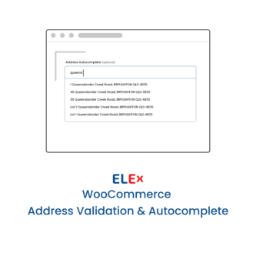
Simple and easy to use address validation & google address autocomplete plugin. Uses EasyPost, UPS, USPS, AddressFinder & Google APIs.
Elementor templates, Header footer builder, Elementor Post Grid, Woocommerce Grid builder, Slider, Forms, Gallery, Nav menu addons, Elementor widgets.

By GenialSouls
Add Disqus-powered discussions or use your theme's existing WordPress comments area with optional native-comment appearance presets.

By Ajay Kumar
Add a simple, easy-to-use stopwatch or countdown timer to any page or post using a shortcode or block.

By webdevstudios
Admin UI for creating custom content types like post types and taxonomies
CHOOSE WHAT YOUR WEBSITE NEEDS
Start with the task you need to solve. Compare features, WordPress and PHP requirements, update history and the author’s documentation. Test changes on a private copy and avoid adding several plugins for the same job.
This independent directory displays plugin information on WebFulHost and links to the official source. Packages are not mirrored or installed here. A plugin can include paid extensions or services with separate terms from its author.