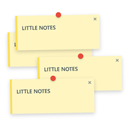
Little Notes
By JRMora
Lightweight frontend sticky notes for website revision, alerts, design feedback and notices. Strictly optimized for desktop environments.
0+ active installations
- Version
- 1.2.4
- WordPress
- 6.0+
- PHP
- 7.4+
- Updated
- 19 Nov 2026
WORDPRESS RESOURCES
Explore public plugin information from the official WordPress.org directory. Compare what a plugin does, its requirements and update history before adding it to your website.
Explore WordPress hosting →1,060 matching plugins reported by WordPress.org · Page 22 of 50
Source: WordPress.org
Data refreshed 26 Nov 2026 12:20 UTC
By JRMora
Lightweight frontend sticky notes for website revision, alerts, design feedback and notices. Strictly optimized for desktop environments.
Clients pin visual feedback on your live site and approve pages — review links, screenshots, feedback rounds, and a recorded approval log.
Preview unsaved changes on your site in a floating panel without leaving the block or classic editor.

By pageapprove
Client website feedback and sign-off without the chaos.

By Daniel Bandi
Extend WordPress core blocks with lightweight editor and frontend enhancements, including scroll animations.

By Md Rahat
Upload dist ZIP files (React, Vue, Next/Vite static builds, HTML landing pages) and publish them instantly as custom URL landing pages on WordPress.

By Webhook Academy
**PowerKit Addons For Elementor offers pre-designed templates that boost Elementor, helping you build beautiful, responsive websites fast and easily.

By Oxypage.com
Fixes stretched fixed backgrounds on mobile. Activate it and your background-attachment: fixed sections just work on touch devices.

By Marek Bednář
Responsive layouts, board themes, fullscreen and readable diagnostics for existing Embed Chessboard games.

By Abhinav Saxena
Customizable announcement bar with Static, Scrolling, and Sliding text modes, CTA button, Countdown timer, and Live Desktop/Mobile Preview.

By Adam Silverstein
A minimap for the block editor: see the shape of the whole post at a glance and scroll through it from the sidebar.

By Artem Semkin
Sticky and auto-hide header for Elementor containers. Hide on scroll down, reveal on scroll up, logo swap, sticky styling. Free, zero dependencies.
CHOOSE WHAT YOUR WEBSITE NEEDS
Start with the task you need to solve. Compare features, WordPress and PHP requirements, update history and the author’s documentation. Test changes on a private copy and avoid adding several plugins for the same job.
This independent directory displays plugin information on WebFulHost and links to the official source. Packages are not mirrored or installed here. A plugin can include paid extensions or services with separate terms from its author.