

GDPR
By Trew Knowledge
This plugin is meant to assist with the GDPR obligations of a Data processor and Controller.
★ 4.3/5 (58)10,000+ active installations
- Version
- 2.1.2
- WordPress
- 4.7+
- PHP
- 5.6+
- Updated
- 21 Jul 2026
WORDPRESS RESOURCES
Explore public plugin information from the official WordPress.org directory. Compare what a plugin does, its requirements and update history before adding it to your website.
Explore WordPress hosting →9,835 matching plugins reported by WordPress.org · Page 23 of 50
Source: WordPress.org
Data refreshed 22 Nov 2026 15:10 UTC
By Trew Knowledge
This plugin is meant to assist with the GDPR obligations of a Data processor and Controller.
Formerly "Custom Facebook Feed". Display completely customizable Facebook feeds of a Facebook page. Supports Facebook oEmbeds.
By Roland Murg
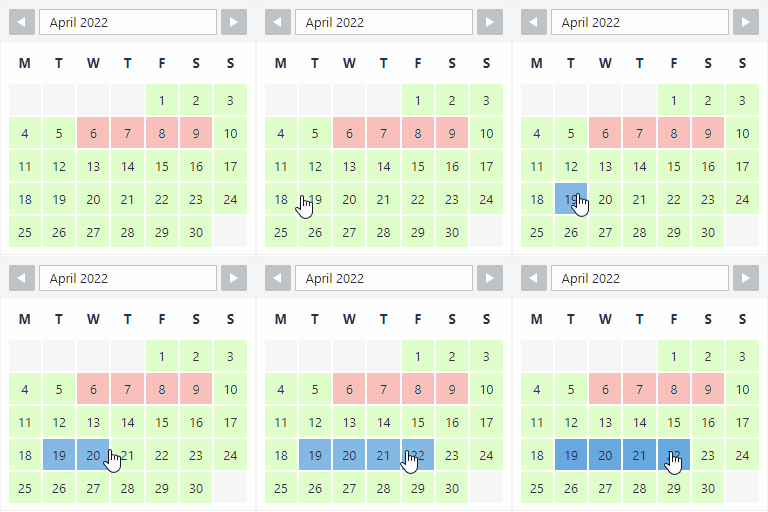
The booking calendar plugin for WordPress. Get easy online booking with this lightweight and powerful booking calendar.

By David Lingren
Enhances the Media Library; powerful gallery and list shortcodes, full taxonomy support, IPTC/EXIF/XMP/PDF processing, bulk/quick edit.

By Faiyaz Alam
Helps you to know your website's visitors by tracking their login related information like login/logout time, country, browser and many more.

By Ninja Team
FastDup - Fastest WordPress Migration & Duplicator

By Entangle Commerce
Activity logging, retention, CSV export, and optional GeoIP lookup for WordPress administrators.

By Hostinger
Simplified WordPress management. Manage site info, maintenance, security, & redirects.
Manage WordPress from Claude or ChatGPT with a free MCP server: posts, WooCommerce, SEO and Elementor. AI chatbot and content writer included.

By colorlibplugins
Easily reorder posts, pages, custom post types, and taxonomies with intuitive drag-and-drop sorting in the WordPress admin.
User activity log and security monitor: track logins, edits and admin actions, detect suspicious sign-ins and 404 scans, and get email alerts.

By TMM Technology
Warm your WordPress cache before visitors arrive. Preload pages on a schedule, refresh published content and inspect every warm-up.
CHOOSE WHAT YOUR WEBSITE NEEDS
Start with the task you need to solve. Compare features, WordPress and PHP requirements, update history and the author’s documentation. Test changes on a private copy and avoid adding several plugins for the same job.
This independent directory displays plugin information on WebFulHost and links to the official source. Packages are not mirrored or installed here. A plugin can include paid extensions or services with separate terms from its author.


