WPMozo Blocks and Addons is a plugin that enhances the Block editor with a collection of powerful and customizable blocks.
★ 5.0/5 (1)80+ active installations
- Version
- 1.9.0
- WordPress
- 5.0+
- PHP
- 7.3+
- Updated
- 30 Oct 2026
View plugin details ↗Kreebi AI Website Builder has it all: AI generation, live visual editing, responsive mobile preview, theme-safe design, and more. Get started free!
★ 5.0/5 (1)60+ active installations
- Version
- 1.4.3
- WordPress
- 5.8+
- PHP
- 8.2+
- Updated
- 26 Nov 2026
View plugin details ↗A responsive 3D accordion slider powered by Three.js and GLSL shaders, with advanced distortion effects and full WordPress/WooCommerce integration.
0+ active installations
- Version
- 1.0
- WordPress
- 6.0+
- PHP
- 8.0+
- Updated
- 15 Jul 2026
View plugin details ↗Essential toolkit for a WordPress site: block editor enhancements, maintenance mode, image optimization, login and more.
★ 5.0/5 (3)500+ active installations
- Version
- 1.5.6
- WordPress
- 5.8+
- PHP
- 7.0+
- Updated
- 26 Nov 2026
View plugin details ↗Seamlessly integrate Fluent Forms with WPML to create multilingual forms for your WordPress website.
★ 5.0/5 (2)2,000+ active installations
- Version
- 1.0.7
- WordPress
- 6.0+
- PHP
- 7.4+
- Updated
- 28 Aug 2026
View plugin details ↗The ultimate WordPress Job Board plugin. Create a recruitment website with unlimited job listings, candidate profiles, and company pages.
★ 5.0/5 (1)100+ active installations
- Version
- 1.15.0
- WordPress
- 6.0+
- PHP
- 7.4+
- Updated
- 18 Nov 2026
View plugin details ↗25 ready-made blocks for the block editor: hero, pricing, FAQ, testimonials, icon boxes, logo clouds and more. Free, lightweight, no account needed.
★ 5.0/5 (4)10+ active installations
- Version
- 1.3.1
- WordPress
- 6.6+
- PHP
- 7.4+
- Updated
- 25 Oct 2026
View plugin details ↗Add some cool elements to your post/page content with flexible shortcodes.
★ 4.2/5 (10)10,000+ active installations
- Version
- 1.3.8
- WordPress
- 3.5+
- Updated
- 10 Jun 2025
View plugin details ↗A modern, touch-friendly off-canvas mobile menu with multi-level sliding panels and a clean, customizable admin interface.
★ 5.0/5 (1)20+ active installations
- Version
- 1.0.2
- WordPress
- 5.0+
- PHP
- 7.4+
- Updated
- 8 Apr 2026
View plugin details ↗A header builder that works with any theme. Front-end drag&drop interface to create pixel perfect headers with ease.
★ 4.7/5 (9)200+ active installations
- Version
- 1.4.2
- WordPress
- 6.6+
- PHP
- 7.4+
- Updated
- 26 Nov 2026
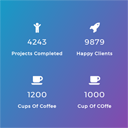
View plugin details ↗Counter Number WordPress Plugin brings you all the powerful Stats Counter features to your wordpress website
★ 4.6/5 (190)10,000+ active installations
- Version
- 1.4.0
- WordPress
- 5.0+
- Updated
- 26 Dec 2024
View plugin details ↗Best WordPress Accordion FAQ & Knowledge Base plugin. Help users find answers fast with a responsive, easy-to-use knowledge base.
★ 5.0/5 (5)10+ active installations
- Version
- 3.0.1
- WordPress
- 4.5+
- Updated
- 7 Aug 2025
View plugin details ↗