Add like buttons to posts, comments and WooCommerce products, then see what your readers love in a built-in stats dashboard. Free, no vote limits.
★ 4.8/5 (286)60,000+ active installations
- Version
- 5.2.6.1
- WordPress
- 6.0+
- PHP
- 7.3.0+
- Updated
- 23 Nov 2026
View plugin details ↗Add unlimited RSS feeds, import their items automatically, and show them anywhere on your site with a block or shortcode.
★ 4.5/5 (566)40,000+ active installations
- Version
- 5.8.0
- WordPress
- 6.2.2+
- PHP
- 7.4.0+
- Updated
- 18 Nov 2026
View plugin details ↗Import affiliate products, compare prices, and publish product reviews with 25+ editorial Gutenberg blocks.
★ 3.9/5 (58)10,000+ active installations
- Version
- 12.1.0
- WordPress
- 6.9+
- PHP
- 8.0+
- Updated
- 29 Oct 2026
View plugin details ↗AI powered SEO assistant & content writer with 40+ templates, chatbot, NLP keyword research, AEO, GEO, SEO analysis for WordPress,
★ 4.8/5 (120)70,000+ active installations
- Version
- 4.6.0
- PHP
- 7.4+
- Updated
- 22 Nov 2026
View plugin details ↗Display plugin data (from wordpress.org) into pages / posts using simple shortcode.
★ 4.0/5 (1)10+ active installations
- Version
- 1.2
- WordPress
- 4.5+
- PHP
- 5.6+
- Updated
- 21 Aug 2026
View plugin details ↗Display a maintenance mode page and allow invited visitors to bypass the functionality to preview the site.
★ 4.9/5 (24)10,000+ active installations
- Version
- 2.2.1
- WordPress
- 6.1+
- PHP
- 7.4+
- Updated
- 21 May 2026
View plugin details ↗Show IDs on admin pages for posts, pages, categories, taxonomies, custom post types and more.
★ 5.0/5 (1)2,000+ active installations
- Version
- 1.3.4
- WordPress
- 4.0+
- PHP
- 7.4+
- Updated
- 30 Aug 2026
View plugin details ↗Get your small business recommended by ChatGPT, Gemini and Google AI. AI SEO for WordPress and WooCommerce: schema, FAQs, AI traffic.
★ 4.4/5 (5)1,000+ active installations
- Version
- 2.9.2
- WordPress
- 5.8+
- PHP
- 7.1+
- Updated
- 22 Nov 2026
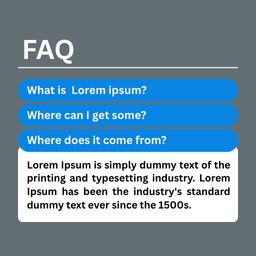
View plugin details ↗Display Your FAQs & Improve User Experience with Accordion/Toggle block.
★ 4.5/5 (8)2,000+ active installations
- Version
- 1.3.3
- WordPress
- 5.6+
- PHP
- 7.2+
- Updated
- 15 Nov 2026
View plugin details ↗A simple and powerful FAQ Block plugin to showcase your visitor Frequently Asked Questions in an engaging way.
★ 5.0/5 (1)0+ active installations
- Version
- 1.0.1
- WordPress
- 5.0+
- PHP
- 7.4+
- Updated
- 24 Mar 2026
View plugin details ↗Optimize WordPress speed and performance with 5centsCDN plugin. Get advanced caching, CDN, and seamless optimization today!
★ 5.0/5 (4)10+ active installations
- Version
- 26.06.09
- WordPress
- 3.8+
- PHP
- 5.3+
- Updated
- 16 Jun 2026
View plugin details ↗Floating sticky chat button for WhatsApp Chat, Facebook Messenger, Telegram, Instagram, SMS, Call, Discord chat, TikTok, Line & 30+ channels
★ 4.9/5 (112)9,000+ active installations
- Version
- 1.8.5
- WordPress
- 5.1+
- PHP
- 7.4+
- Updated
- 12 Nov 2026
View plugin details ↗