

Design and display custom buttons anywhere on your site. Add floating or inline buttons with icons, advanced targeting, and built-in analytics.
★ 4.3/5 (18)4,000+ active installations
- Version
- 3.2.7
- WordPress
- 5.5+
- PHP
- 7.4+
- Updated
- 18 Sep 2026
WORDPRESS RESOURCES
Explore public plugin information from the official WordPress.org directory. Compare what a plugin does, its requirements and update history before adding it to your website.
Explore WordPress hosting →8,863 matching plugins reported by WordPress.org · Page 23 of 50
Source: WordPress.org
Data refreshed 21 Nov 2026 03:33 UTC
Design and display custom buttons anywhere on your site. Add floating or inline buttons with icons, advanced targeting, and built-in analytics.

By HoliThemes
WhatsApp Chat🔥. Let's make your Web page visitors contact you through 'WhatsApp', 'WhatsApp Business'. Add matching Widget✅
Duplicate Post RB makes it easy to duplicate posts, pages and custom post types. Create duplicate posts, clone content, automate duplication

By Addonify
Addonify WooCommerce Quick View plugin adds functionality to have a quick preview of WooCommerce product on a popup modal.

By Ruhul Amin
Easily customize your WordPress login page with custom logo, background colors, images, and more.
By Jeroen Sormani
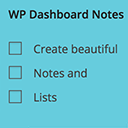
Working with multiple persons on a website? Want to make notes? You can do just that with WP Dashboard Notes. Create beautiful notes with a nice user …

By wptools
Divi 4 & 5 module to integrate Gravity Forms. Create custom-designed forms for your website using extensive style customization options, no coding …

By Themefic
50+ Essential Addons for Contact Form 7 - Conditional Fields, Multi Step, Redirection, Columns, WooCommerce, Mailchimp & more

By SuperPWA
SuperPWA helps you convert your WordPress website into a Progressive Web App instantly.

By Devin Walker
Roll back (or forward) any WordPress.org plugin, theme, or block like a boss.

By Daniel Floeter
Make a group of blocks clickable: wrap a card, teaser or post tile with one link (<a>).

By fareeddaar
Remove image backgrounds directly from the WordPress Media Library using AI and create transparent PNG or WebP images without leaving WordPress.
CHOOSE WHAT YOUR WEBSITE NEEDS
Start with the task you need to solve. Compare features, WordPress and PHP requirements, update history and the author’s documentation. Test changes on a private copy and avoid adding several plugins for the same job.
This independent directory displays plugin information on WebFulHost and links to the official source. Packages are not mirrored or installed here. A plugin can include paid extensions or services with separate terms from its author.
