

Snazzy Maps
By atmistinc
Apply styles to your Google Maps with the official Snazzy Maps WordPress plugin.
★ 4.2/5 (15)30,000+ active installations
- Version
- 1.5.0
- WordPress
- 3.0+
- Updated
- 7 May 2025
WORDPRESS RESOURCES
Explore public plugin information from the official WordPress.org directory. Compare what a plugin does, its requirements and update history before adding it to your website.
Explore WordPress hosting →10,000 matching plugins reported by WordPress.org · Page 23 of 50
Source: WordPress.org
Data refreshed 21 Nov 2026 14:57 UTC
By atmistinc
Apply styles to your Google Maps with the official Snazzy Maps WordPress plugin.

By wpLingua Translation Service
Translate and make your websites multilingual : no word limits, SEO-friendly, automatic translator, AI translation API and editable translations
Watermark images with text or a logo: automatic, bulk or tiled. WooCommerce & Dokan ready, with backups and one-click restore of every original.

By Aslam Doctor
Boost WooCommerce sales with the Rearrange Products for WooCommerce plugin. Easily reorder products with a simple drag-and-drop tool!
Services section block for Gutenberg – build a professional "Our Services" section with icons, templates, layouts, and custom colors. No code needed.

By Benoti
Easily change your WordPress DB prefix, save time, increase security.

Build WordPress blog, magazine, news, archive and single-post layouts with Elementor post grid, carousel, slider and list widgets.

By fifu.app
Use external image URLs for WordPress featured images and WooCommerce product images. No uploads required. FIFU PRO adds videos and galleries.

By mra13 / Team Tips and Tricks HQ
Allows you to accept fast and secure payments for products and services via a payment popup window, supporting both the new PayPal and Stripe Checkout …

By caterhamcomputing
Display WordPress child pages in a responsive grid or list using a shortcode, Gutenberg block or Elementor widget.
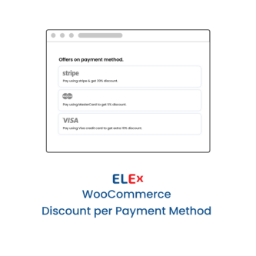
By ELEXtensions
It will be a pleasant little surprise for customers if you offer a discount based on the payment method they have chosen on the Checkout page.

By Brainstorm Force
Variation Swatches for WooCommerce replaces dropdowns with color, image & size swatches, helping shoppers decide faster and buy with confidence.
CHOOSE WHAT YOUR WEBSITE NEEDS
Start with the task you need to solve. Compare features, WordPress and PHP requirements, update history and the author’s documentation. Test changes on a private copy and avoid adding several plugins for the same job.
This independent directory displays plugin information on WebFulHost and links to the official source. Packages are not mirrored or installed here. A plugin can include paid extensions or services with separate terms from its author.

