Post and Page Builder is a standalone plugin which adds functionality to the existing TinyMCE Editor.
★ 4.7/5 (140)50,000+ active installations
- Version
- 1.27.15
- WordPress
- 4.7+
- PHP
- 7.4+
- Updated
- 25 Sep 2026
WORDPRESS RESOURCES
Explore public plugin information from the official WordPress.org directory. Compare what a plugin does, its requirements and update history before adding it to your website.
Explore WordPress hosting →2,040 matching plugins reported by WordPress.org · Page 23 of 50
Source: WordPress.org
Data refreshed 22 Nov 2026 09:28 UTC
Post and Page Builder is a standalone plugin which adds functionality to the existing TinyMCE Editor.
Customize your WordPress admin dashboard design effortlessly with Easy Backend-Style.

By Kerfred
A plugin to migrate PrestaShop e-commerce solution to WooCommerce
Secure WordPress MCP server for Claude, ChatGPT, Codex & Cursor. Manage posts, WooCommerce, SEO, media, users, builders, LMS & events.

By osCitas Themes
Easy Bootstrap Shortcode enable you to add bootstrap 3.0.3 styles in your pages, post and custom post in simplest manner.

By Brainstorm Force
300+ free WordPress website templates, page templates & block patterns. A starter sites library for Elementor, Gutenberg & any theme.

By bdthemes
Pixel Gallery is an Elementor gallery plugin for creating responsive image and portfolio grids with customizable layouts and effects.
Make Conversion Boxes, Popups, Floats and Inject Any Content in a WorsPress way!
Connect Claude, ChatGPT and other AI agents to WordPress. Free MCP server for posts, media, comments and SEO. No account, up to 10 sites in one chat.
By Realwebcare
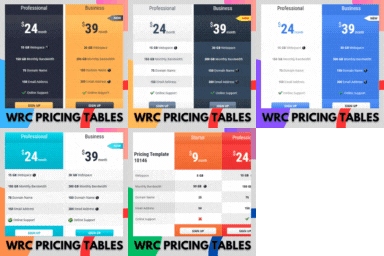
Responsive CSS3 pricing tables design to present features and prices of different products. Display pricing tables or comparison table by shortcode.

By UltraPress
Ultra Addons Lite for Elementor enhances your page-building experience with creative elements & extensions, offering extensive customization options

By Bosa Themes
Shop-first Elementor addon with WooCommerce widgets, 3,000+ templates, site modules & AI Builder — for your store or any website.
CHOOSE WHAT YOUR WEBSITE NEEDS
Start with the task you need to solve. Compare features, WordPress and PHP requirements, update history and the author’s documentation. Test changes on a private copy and avoid adding several plugins for the same job.
This independent directory displays plugin information on WebFulHost and links to the official source. Packages are not mirrored or installed here. A plugin can include paid extensions or services with separate terms from its author.