Display WooCommerce Popular Products in your website post or pages.
300+ active installations
- Version
- 2.0.2
- WordPress
- 6.5+
- PHP
- 7.4+
- Updated
- 17 Nov 2026
WORDPRESS RESOURCES
Explore public plugin information from the official WordPress.org directory. Compare what a plugin does, its requirements and update history before adding it to your website.
Explore WordPress hosting →5,269 matching plugins reported by WordPress.org · Page 23 of 50
Source: WordPress.org
Data refreshed 24 Nov 2026 01:38 UTC
Display WooCommerce Popular Products in your website post or pages.
Translate multilingual WordPress site into 60+ languages with automatic AI translation. Full SEO support. No monthly payments.
Run your own affiliate marketing program in WooCommerce. Track referral links, calculate commissions, and pay affiliates from your own store.

By Mukesh Patel
Send every WordPress email through your own SMTP server: Gmail, Zoho, Amazon SES, Brevo, Mailgun and more. With test email and email log.
Show a YouTube channel, playlist or Vimeo videos as a gallery that updates itself. Free video SEO, GDPR consent and Google Analytics tracking.

By Kostya Tereshchuk
Shows the WordPress admin menu on the public pages of your site, so every admin screen is one click away while you view the site.

By Event Espresso
The best events plugin with event registration, free and paid ticket sales, event registration forms, PayPal payments, automatic emails, and more!
By Saidul Islam Bokul
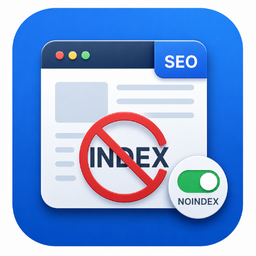
Exclude any post, page, or archive from search engines with one toggle — plus a built-in verifier that proves the tag is really live.

By Web Industrial Solutions
Let a group of product variations share a single shared inventory quantity.
Show a dashboard notification to remind you that 'Discourage Search Engines' is still enabled in the settings.

By arcbound
Connect your site to a Beehiiv account via a shortcode form. Site visitors enter their emails, and they are saved as subscribed users in Behiiv.

By ManicSoup
A clean, self-hosted WordPress activity log with built-in attack detection. See who did what, when, and where — and catch credential attacks.
CHOOSE WHAT YOUR WEBSITE NEEDS
Start with the task you need to solve. Compare features, WordPress and PHP requirements, update history and the author’s documentation. Test changes on a private copy and avoid adding several plugins for the same job.
This independent directory displays plugin information on WebFulHost and links to the official source. Packages are not mirrored or installed here. A plugin can include paid extensions or services with separate terms from its author.