

GutenBee – Gutenberg Blocks
By The CSSIgniter Team
GutenBee enhances the Gutenberg editor with more blocks!
★ 4.9/5 (18)6,000+ active installations
- Version
- 2.20.5
- WordPress
- 7.0+
- PHP
- 7.4+
- Updated
- 22 Oct 2026
WORDPRESS RESOURCES
Explore public plugin information from the official WordPress.org directory. Compare what a plugin does, its requirements and update history before adding it to your website.
Explore WordPress hosting →9,958 matching plugins reported by WordPress.org · Page 23 of 50
Source: WordPress.org
Data refreshed 24 Nov 2026 22:38 UTC
By The CSSIgniter Team
GutenBee enhances the Gutenberg editor with more blocks!

By FolioVision
WordPress's most reliable, easy to use and feature-rich video player. Supports responsive design, HTML5, playlists, ads, stats, Vimeo and YouTube.

By RadiusTheme
Variation Images Gallery for WooCommerce plugin allows to add UNLIMITED additional images for each variation of product.
Try FREE Theme Builder for Elementor with 50+ FREE widgets. Create a custom header, footer, singular, and archive layout in no time.

By Joost de Valk
Integrates the Clicky web analytics service into your blog and adds features for comment tracking & more.

Animation Addons: all-in-one Elementor addons pack – GSAP scroll animations, 100+ Elementor widgets, 40+ Elementor 4 Atomic Widgets & 300+ templates.
By wpshopmart
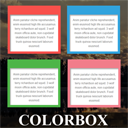
Colorbox panels is the most easiest drag & drop icon box and content box builder for WordPress. You can add unlimited panels with unlimited colour …

By Vollstart
Sell tickets on your site: seating plans, PDF tickets with QR codes, a built-in POS for door sales (box office), and a scanner app — no per-ticket ser …

By Janis Elsts
Adds a Dashboard widget that displays the latest messages from your PHP error log. It can also send logged errors to email.
Addons for Elementor Page Builder.

FunnelKit Cart adds a beautiful sliding cart to your WooCommerce store. Let the buyers add items, edit quantity and add upsells on the side cart.

By Nextendweb
Responsive slider plugin to create sliders in visual editor easily. Build beautiful image slider, layer slider, video slider, post slider, and more.
CHOOSE WHAT YOUR WEBSITE NEEDS
Start with the task you need to solve. Compare features, WordPress and PHP requirements, update history and the author’s documentation. Test changes on a private copy and avoid adding several plugins for the same job.
This independent directory displays plugin information on WebFulHost and links to the official source. Packages are not mirrored or installed here. A plugin can include paid extensions or services with separate terms from its author.

