Speed up your WordPress site by adding high-performance keys (database indexes) to your MariaDB / MySQL database tables.
★ 4.8/5 (99)50,000+ active installations
- Version
- 1.6.0
- WordPress
- 4.2+
- PHP
- 5.6+
- Updated
- 5 Oct 2026
View plugin details ↗Zip Recipes is the best way to easily create a beautiful food blog with professional looking recipes that can be found by Google.
★ 4.8/5 (95)1,000+ active installations
- Version
- 8.2.8
- WordPress
- 4.8+
- PHP
- 7.2+
- Updated
- 11 Jun 2026
View plugin details ↗A friendly SMTP plugin for WordPress. No third-party, simply using WordPress native possibilities.
★ 4.6/5 (46)2,000+ active installations
- Version
- 1.2.6
- WordPress
- 4.9+
- PHP
- 7.0+
- Updated
- 15 Jul 2026
View plugin details ↗Convert WordPress to static HTML. Boost performance 3-5x. Eliminate security vulnerabilities. Deploy anywhere.
★ 4.5/5 (195)40,000+ active installations
- Version
- 3.8.27
- WordPress
- 6.2+
- PHP
- 7.4+
- Updated
- 18 Nov 2026
View plugin details ↗
By Sirv CDN and Image Hosting
Serve perfectly optimized images, videos, models and 360 spins. The best WordPress & WooCommerce CDN plugin for media.
★ 4.9/5 (265)900+ active installations
- Version
- 8.2.7
- WordPress
- 3.0.1+
- PHP
- 5.6+
- Updated
- 31 Oct 2026
View plugin details ↗Social media automation, social media scheduling and auto publish for WordPress posts to Facebook, X/Twitter, Threads, LinkedIn, Telegram and more.
★ 4.3/5 (11)200+ active installations
- Version
- 1.4.6
- WordPress
- 6.2+
- PHP
- 7.4+
- Updated
- 5 Nov 2026
View plugin details ↗Boost the performance of your WordPress site by optimizing your images and videos with the Cloudinary WordPress Plugin. WordPress developers, content …
★ 4.0/5 (64)4,000+ active installations
- Version
- 3.3.9
- WordPress
- 6.3+
- PHP
- 7.4+
- Updated
- 11 Nov 2026
View plugin details ↗Connect your WordPress site to wp-admin.online remote Site Manager for centralized management.
★ 5.0/5 (1)100+ active installations
- Version
- 3.6.2
- WordPress
- 6.2+
- PHP
- 8.0+
- Updated
- 20 Nov 2026
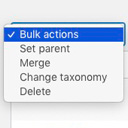
View plugin details ↗Allows you to merge terms, move terms between taxonomies, and set term parents, individually or in bulk.
★ 4.9/5 (76)10,000+ active installations
- Version
- 2.0.2
- WordPress
- 4.2+
- PHP
- 7.1+
- Updated
- 11 Dec 2025
View plugin details ↗Privacy policy and terms and conditions generator for WordPress. GDPR and CCPA templates, cookie policy, disclaimer. One click, many sites.
★ 4.7/5 (93)10,000+ active installations
- Version
- 3.8.2
- WordPress
- 6.2+
- PHP
- 7.0+
- Updated
- 3 Nov 2026
View plugin details ↗300+ free WordPress website templates, page templates & block patterns. A starter sites library for Elementor, Gutenberg & any theme.
★ 4.9/5 (4,756)1,000,000+ active installations
- Version
- 4.7.12
- WordPress
- 6.6+
- PHP
- 7.4+
- Updated
- 18 Nov 2026
View plugin details ↗Accept cards & Google Pay with no monthly fees. Save up to 25% with transparent pricing and secure branded checkout.
★ 3.9/5 (7)800+ active installations
- Version
- 5.0.3
- WordPress
- 6.6+
- PHP
- 7.4+
- Updated
- 11 Aug 2026
View plugin details ↗