Select a default admin color scheme for new and existing users. Optionally disable the color scheme picker to force a color scheme for all users.
★ 4.7/5 (9)800+ active installations
- Version
- 1.0.3
- WordPress
- 3.8+
- PHP
- 5.3+
- Updated
- 6 Jun 2026
View plugin details ↗Change the location for the uploads folder for WordPress
★ 4.9/5 (38)5,000+ active installations
- Version
- 2.4.3
- WordPress
- 3.5+
- PHP
- 7.4+
- Updated
- 17 Aug 2026
View plugin details ↗Site Reviews is the best free reviews plugin. It integrates with WooCommerce & SureCart and works just like reviews on Amazon, Tripadvisor, and Yelp.
★ 4.9/5 (379)60,000+ active installations
- Version
- 8.3.8
- WordPress
- 6.8+
- PHP
- 8.1.2+
- Updated
- 15 Nov 2026
View plugin details ↗Create custom dropdown & mobile menus using WordPress blocks. Design rich, responsive navigation with any block content in the block editor.
★ 5.0/5 (8)5,000+ active installations
- Version
- 0.3.4
- WordPress
- 6.5+
- PHP
- 7.4+
- Updated
- 3 Sep 2026
View plugin details ↗Control where users land after login/logout. Redirect by role, user, or previous page. Includes a powerful login customizer and WooCommerce support.
★ 4.7/5 (24)2,000+ active installations
- Version
- 4.2.10
- WordPress
- 5.6+
- PHP
- 8.1+
- Updated
- 13 Oct 2026
View plugin details ↗Ask Claude or ChatGPT how your WooCommerce store is doing: sales, payments, errors, failed jobs, updates and API access. Our tools are read-only.
0+ active installations
- Version
- 1.2.0
- WordPress
- 6.9+
- PHP
- 8.1+
- Updated
- 16 Nov 2026
View plugin details ↗WordPress SEO plugin to boost your rankings with real-time content analysis, SEO metadata, XML sitemaps, redirections, Local Business SEO, and GDPR-co …
0+ active installations
- Version
- 1.8.0
- WordPress
- 6.0+
- PHP
- 8.1+
- Updated
- 2 Nov 2026
View plugin details ↗Use WordPress as your CMS, then publish a fast, lower-exposure static version of your site.
★ 4.4/5 (21)3,000+ active installations
- Version
- 1.15.1
- WordPress
- 5.0+
- PHP
- 7.1+
- Updated
- 3 Nov 2026
View plugin details ↗A plugin to scan uploaded files for viruses with ClamAV.
10+ active installations
- Version
- 1.2.1
- WordPress
- 6.0+
- PHP
- 8.2+
- Updated
- 17 Oct 2024
View plugin details ↗Get your products in front of Pinterest users searching for ideas and things to buy. Connect your WooCommerce store to make your catalog browsable.
★ 2.3/5 (68)200,000+ active installations
- Version
- 1.6.4
- WordPress
- 7.0+
- PHP
- 7.4+
- Updated
- 16 Nov 2026
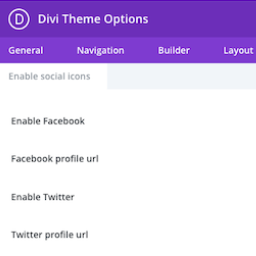
View plugin details ↗This plugin adds the ability to add more social icons to your website when using the Divi theme.
★ 5.0/5 (4)1,000+ active installations
- Version
- 1.8.1
- WordPress
- 5.1+
- PHP
- 5.4+
- Updated
- 7 May 2026
View plugin details ↗Security for WordPress and WooCommerce: plain-language scan, one-click hardening, order anti-fraud, checkout guard and payment monitoring.
0+ active installations
- Version
- 1.29.2
- WordPress
- 6.0+
- PHP
- 7.4+
- Updated
- 18 Nov 2026
View plugin details ↗