GutenKit – Ultimate no-code Gutenberg blocks to design stunning web pages and visually stunning posts in WordPress block editor.
★ 4.5/5 (48)70,000+ active installations
- Version
- 2.5.9
- WordPress
- 6.1+
- PHP
- 7.4+
- Updated
- 24 Nov 2026
WORDPRESS RESOURCES
Explore public plugin information from the official WordPress.org directory. Compare what a plugin does, its requirements and update history before adding it to your website.
Explore WordPress hosting →10,000 matching plugins reported by WordPress.org · Page 23 of 50
Source: WordPress.org
Data refreshed 28 Nov 2026 03:45 UTC
GutenKit – Ultimate no-code Gutenberg blocks to design stunning web pages and visually stunning posts in WordPress block editor.

By Mubashir Taqi
Smart login/logout menus for classic and block themes, with conditional redirects for roles, courses, memberships, and purchases.

By nsp-code
Drag-and-drop ordering for Categories & any taxonomy (hierarchically) using a Drag and Drop Sortable JavaScript capability.

By sevenspark
The Menu Swapper allows you to register custom theme locations and easily swap menus on individual Pages or Posts.
The easiest way to automate WooCommerce shipping for Europe and the Nordics: pickup points at checkout, live rates and one-click shipping labels.
Easily assign different menus to pages, posts, user roles, devices, and custom URLs using advanced conditional menu visibility rules.
Express & Certified Post, Bike Delivery and Iranian Postal Companies for WooCommerce
By Md. Shahinur Islam
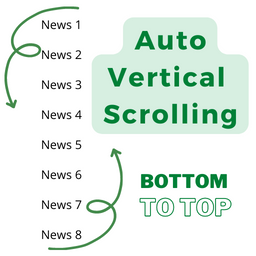
Post Auto Vertical Scrolling plugins bottom to top. Simple but flexible.
User role editing for WordPress. Manage user roles, control capabilities and permissions, and restrict admin access for any role.
90+ Gutenberg Blocks & AI Website Builder with 1000+ Templates. Complete Page Builder, Popup Builder, Mega Menu, Form Builder & More. No Code.

By Clifton Griffin
Create content templates for your posts and pages. When creating a new post or page use one of your content templates as the starting point!
Boost productivity with ChatGPT AI Engine: automate content creation, enhance Gutenberg editing, and deploy AI chatbots for smarter, faster workflows.
CHOOSE WHAT YOUR WEBSITE NEEDS
Start with the task you need to solve. Compare features, WordPress and PHP requirements, update history and the author’s documentation. Test changes on a private copy and avoid adding several plugins for the same job.
This independent directory displays plugin information on WebFulHost and links to the official source. Packages are not mirrored or installed here. A plugin can include paid extensions or services with separate terms from its author.