

Font Awesome
By fontawesome
The official way to use Font Awesome Free or Pro icons on your WordPress site, brought to you by the Font Awesome team.
★ 3.6/5 (61)400,000+ active installations
- Version
- 5.2.1
- WordPress
- 5.8+
- PHP
- 7.4+
- Updated
- 13 Aug 2026
WORDPRESS RESOURCES
Explore public plugin information from the official WordPress.org directory. Compare what a plugin does, its requirements and update history before adding it to your website.
Explore WordPress hosting →10,000 matching plugins reported by WordPress.org · Page 23 of 50
Source: WordPress.org
Data refreshed 20 Nov 2026 08:40 UTC
By fontawesome
The official way to use Font Awesome Free or Pro icons on your WordPress site, brought to you by the Font Awesome team.

By add-ons.org
The Repeater Fields for Contact Form 7 allow you to create one or more sets of fields that can be repeated.

By A WP Life
Display your Flickr albums, photostream, and photos on any page or widget. Responsive and easy to set up using Flickr API.
By scribu
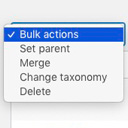
Allows you to merge terms, move terms between taxonomies, and set term parents, individually or in bulk.

By WebFactory
Advanced shipping rate for WooCommerce. Calculate rate shipping using country, weight, or price. Supports WooCommerce shipping zones.

By Trident Technolabs
Set Custom Shipping Rates For Different Cities On Woocommerce.

By Jerry Rietveld
The click-to-call button for WordPress since 2013. Add a call button in under a minute. No code, mobile and desktop, with click tracking.
LoginPress is a Custom Login Page Customizer plugin allows you to easily customize the layout of login, admin login, client login, register pages.

By webaware
Clean up WordPress website HTTPS insecure content

By WPClever
WPC Composite Products provide a powerful kit-building solution for WooCommerce store.
The permissions plugin for posts, pages, categories, tags and more. You can control permissions for roles, individual users, and even custom groups.

Use Advanced File Manager to manage WordPress files, create archives, monitor storage limits, and build document libraries all directly from your Word …
CHOOSE WHAT YOUR WEBSITE NEEDS
Start with the task you need to solve. Compare features, WordPress and PHP requirements, update history and the author’s documentation. Test changes on a private copy and avoid adding several plugins for the same job.
This independent directory displays plugin information on WebFulHost and links to the official source. Packages are not mirrored or installed here. A plugin can include paid extensions or services with separate terms from its author.

