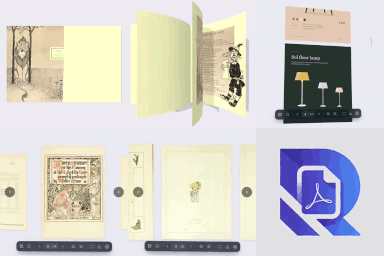
Embed PDFs as a realistic 3D flipbook, page slider or scroll reader. A fast PDF viewer and PDF library for Gutenberg, Elementor and shortcodes.
★ 5.0/5 (1)30+ active installations
- Version
- 1.5.3
- WordPress
- 5.8+
- PHP
- 7.4+
- Updated
- 7 Nov 2026
View plugin details ↗Add a customizable guest bar to your WordPress site.
★ 5.0/5 (2)10+ active installations
- Version
- 3.1.1
- WordPress
- 4.7+
- PHP
- 7.0+
- Updated
- 1 Oct 2026
View plugin details ↗WCAG AA compliant carousel, slider & slideshow blocks: keyboard & screen-reader friendly, pause control, no autoplay, plus a card scroller.
★ 5.0/5 (3)400+ active installations
- Version
- 2.11.8
- WordPress
- 6.5+
- PHP
- 7.4+
- Updated
- 21 Nov 2026
View plugin details ↗Lightweight accessibility toolbar with text resizing, contrast modes, link highlighting, and other usability tools.
0+ active installations
- Version
- 1.1
- WordPress
- 5.0+
- Updated
- 14 Aug 2026
View plugin details ↗Import Google Photos or paste a shared album link, and show them as responsive grid, masonry, carousel, or story galleries.
★ 2.4/5 (7)1,000+ active installations
- Version
- 1.3.2
- WordPress
- 6.5+
- PHP
- 7.1+
- Updated
- 17 Nov 2026
View plugin details ↗A powerful and customizable accessibility toolbar to improve website usability and WCAG/ADA compliance.
0+ active installations
- Version
- 1.0.0
- WordPress
- 5.0+
- PHP
- 7.2+
- Updated
- 19 Aug 2026
View plugin details ↗Event search and filter bar for The Events Calendar. Add an event search box, date filters and filtered event lists anywhere with a shortcode.
★ 4.8/5 (29)3,000+ active installations
- Version
- 2.0.4
- WordPress
- 6.3+
- PHP
- 7.4+
- Updated
- 16 Nov 2026
View plugin details ↗Add the AbleWidget reading toolbar to your site. Visitors adjust text size, contrast, fonts and more. Requires an AbleWidget licence.
0+ active installations
- Version
- 1.1.0
- WordPress
- 6.3+
- PHP
- 7.4+
- Updated
- 2 Nov 2026
View plugin details ↗
By Toro_Unit (Hiroshi Urabe)
Add inline typography controls to the block editor toolbar, letting you apply formatting to selected text without wrapping it in a block.
80+ active installations
- Version
- 0.5.2
- WordPress
- 6.7+
- PHP
- 8.1+
- Updated
- 19 Jun 2026
View plugin details ↗Choose which heading levels are visible in the Classic Editor toolbar.
100+ active installations
- Version
- 1.1.0
- WordPress
- 6.0+
- Updated
- 19 Sep 2026
View plugin details ↗Accessibility toolbar with 25 tools for contrast, text size, fonts and reading. No account. No external requests. No branding.
0+ active installations
- Version
- 0.1.2
- WordPress
- 6.0+
- PHP
- 7.4+
- Updated
- 25 Oct 2026
View plugin details ↗Logo Carousel, Image Slider & Testimonial blocks for Gutenberg. 5 transition effects, responsive design & full customization!
★ 5.0/5 (7)1,000+ active installations
- Version
- 1.2.2
- WordPress
- 6.3+
- PHP
- 7.4+
- Updated
- 9 Nov 2026
View plugin details ↗