The WooCommerce product feed plugin built for Google. UNLIMITED products & feeds, completely free. Create your Google Merchant feed in 5 minutes.
★ 4.5/5 (128)10,000+ active installations
- Version
- 2.24.2
- WordPress
- 6.5+
- PHP
- 7.4+
- Updated
- 9 Nov 2026
WORDPRESS RESOURCES
Explore public plugin information from the official WordPress.org directory. Compare what a plugin does, its requirements and update history before adding it to your website.
Explore WordPress hosting →10,000 matching plugins reported by WordPress.org · Page 23 of 50
Source: WordPress.org
Data refreshed 20 Nov 2026 18:11 UTC
The WooCommerce product feed plugin built for Google. UNLIMITED products & feeds, completely free. Create your Google Merchant feed in 5 minutes.

By ShapedPlugin LLC
A customizable plugin to create and manage WooCommerce product tabs and WordPress tabs to organize content.
Automatically post and schedule your WordPress content to Facebook, X/Twitter, LinkedIn, Threads and more social networks using Hootsuite.
By Web Builder 143
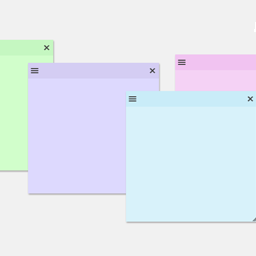
Create sticky notes in your WP admin for reminders and to-dos. Restrict notes by user roles and disable them on specific pages.

By wp-buy
Using this plugin, you can fix all 404 error links by redirecting them to homepage using the SEO 301 redirection. Improve your SEO rank & pages speed

By Ciprian Popescu
For site owners who want an honest hardening checklist, not a heavy security suite: what to fix in WordPress, and what to ask your host for.

By A WP Life
Add a responsive Instagram Feed and photo gallery to your site. Display photos and videos with shortcodes. Grid layout and lightbox included.
WP Film Studio is a WordPress Movie Maker/Production Plugin.

Light weight Front-end login form, User Registration, User Profile and Members Directory plugin.

EasyMedia - Increase the maximum upload file size limit to any value. Increase upload limit - upload large files effortlessly.
The AI chatbot, AI agent and MCP server for WordPress. Connect OpenAI, Claude, Gemini and more to chat, write, search and automate your site.

By Lester Chan
Display WordPress plugins that you currently have (both active and inactive) onto a post/page.
CHOOSE WHAT YOUR WEBSITE NEEDS
Start with the task you need to solve. Compare features, WordPress and PHP requirements, update history and the author’s documentation. Test changes on a private copy and avoid adding several plugins for the same job.
This independent directory displays plugin information on WebFulHost and links to the official source. Packages are not mirrored or installed here. A plugin can include paid extensions or services with separate terms from its author.