

Allow your students to create personal dictionary, study the words with the help of memory games. Make learning fun with vocabulary games.
★ 4.8/5 (8)70+ active installations
- Version
- 2.7.4
- WordPress
- 4.0+
- Updated
- 15 Apr 2026
WORDPRESS RESOURCES
Explore public plugin information from the official WordPress.org directory. Compare what a plugin does, its requirements and update history before adding it to your website.
Explore WordPress hosting →777 matching plugins reported by WordPress.org · Page 24 of 50
Source: WordPress.org
Data refreshed 29 Nov 2026 01:36 UTC
Allow your students to create personal dictionary, study the words with the help of memory games. Make learning fun with vocabulary games.

By emarket-design
Best WordPress Accordion FAQ & Knowledge Base plugin. Help users find answers fast with a responsive, easy-to-use knowledge base.

By HT Plugins
Faster YouTube Embed enables you to insert YouTube videos to any page and post quickly and efficiently & you’ll have no hassle of slow YouTube vid …

By Pluginable
A simple Elementor widget that lets users copy text to the clipboard with one click, improving UX with fast and effortless copy functionality.
Xpro Addons for Beaver Builder – Lite is a simple drag-and-drop creative module pack that lets you create stunning websites.
By MrStar
Create professional, responsive accordions, collapsible content, and dynamic posts, no coding required.

By alpsws
Create responsive FAQ accordions with categories, shortcode support, FAQ schema, and an easy-to-manage WordPress interface.

By Konrad Chmielewski
All-in-one enhancement suite that improves WordPress & Advanced Custom Fields.
By fuzzoid
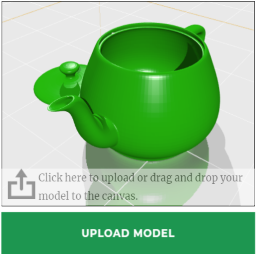
A plugin for selling 3D printing services.

By Andrei Surdu
Create unlimited custom sidebars and widget areas. Display different sidebars on specific pages, posts, or custom post types with conditional logic.

By HT Plugins
WP News is a elementor 14+ addons, 6+ WordPress Default widgets For WordPress.
By Tanvir Md. Al Amin
A collection of custom Gutenberg blocks and block extensions with a React-powered dashboard to enable or disable each block individually.
CHOOSE WHAT YOUR WEBSITE NEEDS
Start with the task you need to solve. Compare features, WordPress and PHP requirements, update history and the author’s documentation. Test changes on a private copy and avoid adding several plugins for the same job.
This independent directory displays plugin information on WebFulHost and links to the official source. Packages are not mirrored or installed here. A plugin can include paid extensions or services with separate terms from its author.
