PanelKind
By sassify
Create focused client workspaces with custom navigation, dashboards, private information pages and role-aware access policies.
10+ active installations
- Version
- 1.8.3
- WordPress
- 6.6+
- PHP
- 8.0+
- Updated
- 17 Nov 2026
WORDPRESS RESOURCES
Explore public plugin information from the official WordPress.org directory. Compare what a plugin does, its requirements and update history before adding it to your website.
Explore WordPress hosting →1,984 matching plugins reported by WordPress.org · Page 24 of 50
Source: WordPress.org
Data refreshed 26 Nov 2026 02:47 UTC
By sassify
Create focused client workspaces with custom navigation, dashboards, private information pages and role-aware access policies.
Lightweight time tracker and planner for freelancers: log hours from the admin bar, plan your week in a calendar, export to Excel or CSV.
Create services, manage staff availability, accept customer bookings, send reminders, and provide cancellation and rescheduling tools.

By NXTWEBSITE
Affiliate plugin for WordPress and WooCommerce with registration, referral codes, coupon tracking, commissions, payouts, and portal.

By Stephen Walker
Organize WordPress media with folders, compression, galleries and optional Bricks integration.
By robertoiacono
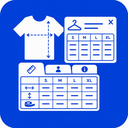
Add size guides to WooCommerce products via a visual table builder with tab, popup, or inline display.

By formsintegrations
Visit plugin's website

By formsintegrations
A powerful integration tool to connect Forminator with Zoho CRM.

By Kodezen LLC
GemBoards is a project and task management plugin that helps teams manage projects, Kanban boards, and team tasks from one place.

By Kleap
Automated SEO content publishing for WordPress. Let AI create and publish optimized articles automatically.

By Abdullah Nahian
The most comprehensive, lightning-fast, highly scalable, and Super SEO-Friendly car rental engine for WordPress. Powered by a bespoke high-performance …

By griffinforms
Drag and drop WordPress form builder plugin. Create contact forms, multi-step forms, user registration forms, file upload forms, and payment forms.
CHOOSE WHAT YOUR WEBSITE NEEDS
Start with the task you need to solve. Compare features, WordPress and PHP requirements, update history and the author’s documentation. Test changes on a private copy and avoid adding several plugins for the same job.
This independent directory displays plugin information on WebFulHost and links to the official source. Packages are not mirrored or installed here. A plugin can include paid extensions or services with separate terms from its author.