By David Anderson / Team Updraft
Improve your SEO and your user experience through internal linkbuilding. Automated links between your posts based on a smart keyword configuration.
★ 4.7/5 (539)100,000+ active installations
- Version
- 2.26.1
- WordPress
- 5.9.0+
- PHP
- 7.1.0+
- Updated
- 18 Nov 2026
View plugin details ↗🔗 Affiliate link management & cloaker tool. Easily manage, shrink and track your affiliate links in WordPress. 🔥
★ 4.6/5 (251)30,000+ active installations
- Version
- 3.12.2
- WordPress
- 6.0+
- PHP
- 7.4+
- Updated
- 29 Oct 2026
View plugin details ↗Modern Bulk Editor for Blog Categories and Tags, create and edit hundreds of categories in a spreadsheet inside wp-admin. Quick edits.
★ 4.5/5 (26)3,000+ active installations
- Version
- 1.7.25
- WordPress
- 4.7+
- Updated
- 20 Oct 2026
View plugin details ↗Sell gift cards, gift vouchers and gift packages on your WordPress site. Customers design the card, pay online and receive a PDF by email.
★ 4.7/5 (115)1,000+ active installations
- Version
- 4.9.4
- WordPress
- 4.0+
- PHP
- 5.6+
- Updated
- 14 Nov 2026
View plugin details ↗Easier file and folder management for WordPress Media Library for Galleries and Albums
★ 4.3/5 (465)10,000+ active installations
- Version
- 8.4.4
- WordPress
- 4.0+
- Updated
- 2 Nov 2026
View plugin details ↗Set Sequential order numbers in WooCommerce. Custom order number with prefixes can also be set for existing and new WooCommerce orders.
★ 4.2/5 (25)20,000+ active installations
- Version
- 2.2.0
- WordPress
- 4.4+
- PHP
- 7.4+
- Updated
- 28 Sep 2026
View plugin details ↗A responsive and clean way to display your team. Create members, add their positions, bios (and more...) and copy-paste the shortcode anywhere.
★ 4.2/5 (53)20,000+ active installations
- Version
- 5.4.2
- WordPress
- 3.6+
- Updated
- 10 Nov 2026
View plugin details ↗All-in-one WordPress maintenance, support and client management platform for agencies.
★ 5.0/5 (1)800+ active installations
- Version
- 4.7.2
- WordPress
- 5.9+
- PHP
- 7.4+
- Updated
- 17 Nov 2026
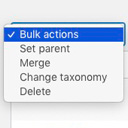
View plugin details ↗Allows you to merge terms, move terms between taxonomies, and set term parents, individually or in bulk.
★ 4.9/5 (76)10,000+ active installations
- Version
- 2.0.2
- WordPress
- 4.2+
- PHP
- 7.1+
- Updated
- 11 Dec 2025
View plugin details ↗This plugin enables WPForms text field into a Date picker or Time picker by using CSS class.
★ 5.0/5 (2)1,000+ active installations
- Version
- 1.1.0
- WordPress
- 4.0+
- PHP
- 5.6+
- Updated
- 9 Apr 2026
View plugin details ↗AI ChatBot for Support, Leads and Sales, with AI SEO, AI Writer, Email Marketing, Social Media Scheduling and Heatmaps to GROW your Website & Business
★ 4.7/5 (124)5,000+ active installations
- Version
- 9.2
- WordPress
- 6.2+
- PHP
- 7.4+
- Updated
- 19 Nov 2026
View plugin details ↗Create a responsive slider where the content and button for each slide.
★ 5.0/5 (3)1,000+ active installations
- Version
- 1.1.3
- WordPress
- 5.1+
- Updated
- 21 Aug 2026
View plugin details ↗