Adds a smooth, animated custom cursor — choose from 9 cursor styles, each fully customizable with a live preview — no coding needed.
400+ active installations
- Version
- 2.3.1
- WordPress
- 5.8+
- PHP
- 7.4+
- Updated
- 16 Sep 2026
View plugin details ↗Create interactive floating bubble menus to enhance site navigation and boost user engagement effortlessly.
★ 4.2/5 (9)1,000+ active installations
- Version
- 4.1.1
- WordPress
- 5.5+
- PHP
- 7.4+
- Updated
- 25 Aug 2026
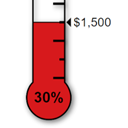
View plugin details ↗Displays a fully customisable thermometer for tracking donations or any other goal.
★ 4.4/5 (12)2,000+ active installations
- Version
- 2.3.0
- WordPress
- 5.0.3+
- PHP
- 7.0+
- Updated
- 7 Oct 2026
View plugin details ↗Enable dark mode on WordPress without any coding. Improve site accessibility with a stunning dark theme that improves conversion.
★ 4.5/5 (391)20,000+ active installations
- Version
- 5.3.21
- WordPress
- 5.2+
- PHP
- 5.6+
- Updated
- 28 Oct 2026
View plugin details ↗Monitor traffic and ban unwanted visitors. Block any user or IP address so they can't access your site.
★ 4.4/5 (19)1,000+ active installations
- Version
- 3.6
- WordPress
- 4.7+
- PHP
- 5.6.20+
- Updated
- 5 Nov 2026
View plugin details ↗68 free Divi modules + 8 extensions — the largest free Divi library, all native in the Divi 5 Visual Builder and Divi 4. Nothing to migrate.
★ 5.0/5 (12)1,000+ active installations
- Version
- 5.1.0
- WordPress
- 6.0+
- PHP
- 7.4+
- Updated
- 3 Sep 2026
View plugin details ↗Create a responsive slider where the content and button for each slide.
★ 5.0/5 (3)1,000+ active installations
- Version
- 1.1.3
- WordPress
- 5.1+
- Updated
- 21 Aug 2026
View plugin details ↗Add product size charts with default template or custom size chart to any of your WooCommerce products.
★ 4.3/5 (39)9,000+ active installations
- Version
- 2.4.9
- WordPress
- 5.0+
- PHP
- 7.2+
- Updated
- 18 Nov 2026
View plugin details ↗Show your logo anywhere: theme header, login screen, admin bar, and emails. Retina, dark mode, mobile, sticky, and per-page logos.
★ 4.7/5 (9)1,000+ active installations
- Version
- 2.1.0
- WordPress
- 5.0+
- PHP
- 5.6+
- Updated
- 25 Oct 2026
View plugin details ↗Offer unlimited chat apps and support channels to your WordPress website.
★ 5.0/5 (7)1,000+ active installations
- Version
- 2.3.6
- WordPress
- 3.0+
- Updated
- 23 Aug 2026
View plugin details ↗Social chat buttons with WhatsApp, Messenger, WeChat, Telegram, Instagram, TikTok, Zalo & more — plus SMS, Call button, Contact form, and 20+ icons.
★ 5.0/5 (39)10,000+ active installations
- Version
- 1.4.4
- WordPress
- 5.0+
- PHP
- 5.4+
- Updated
- 31 Aug 2026
View plugin details ↗Customize the WordPress login page with a live designer, responsive templates, social sign-in, login security, and flexible access controls.
★ 4.3/5 (175)2,000+ active installations
- Version
- 8.0.1
- WordPress
- 6.0+
- PHP
- 7.4+
- Updated
- 17 Nov 2026
View plugin details ↗