

A WordPress plugin that logs user logins, logouts, post/page creation/updates/deletion, and plugin activation/deactivation/deletion events.
30+ active installations
- Version
- 1.1
- Updated
- 19 Feb 2025
WORDPRESS RESOURCES
Explore public plugin information from the official WordPress.org directory. Compare what a plugin does, its requirements and update history before adding it to your website.
Explore WordPress hosting →951 matching plugins reported by WordPress.org · Page 24 of 50
Source: WordPress.org
Data refreshed 23 Nov 2026 08:30 UTC
A WordPress plugin that logs user logins, logouts, post/page creation/updates/deletion, and plugin activation/deactivation/deletion events.

By domclic
Restrict selected pages and categories to logged-in users only. Automatically hides menu items and redirects unauthenticated users.

Build stunning WordPress websites with 80+ free Gutenberg blocks, a drag-and-drop Form Builder, WooCommerce tools, Mega Menu, and ready-made templates …

By Hidayat Mahetar
A complete authentication solution for Headless WordPress applications using JWT, supporting Registration, SSO, RBAC, and advanced Security features.

By membesams
WordPress integration plugin for Membes Association Management System, enabling single sign-on, calendar display, member directory, and joining forms.

By Self Coding
Add Google, Facebook, LinkedIn, Naver, Kakao, and Line social login to WordPress and WooCommerce.
By Nilambar Sharma
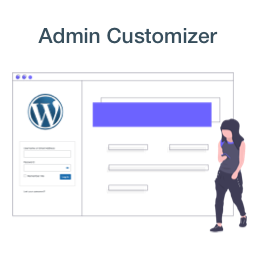
A plugin for customizing your admin panel.

By Escape AI
Track and review important user and admin activity in WordPress.

By Nacho V.
Monitor and inspect login/logout activity on your site. Get failed-attempt alerts, user activity logs, and dashboard insights.

By pfhowe
A focused WooCommerce management portal for shop staff who do not need access to the WordPress dashboard.

By Deryck
The ultimate solution for tracking activities and security issues on your WordPress site.

By MUDRAVA
30+ toggleable admin-area tweaks in one plugin: branding, columns, media, security hardening, notification control, and cleanup.
CHOOSE WHAT YOUR WEBSITE NEEDS
Start with the task you need to solve. Compare features, WordPress and PHP requirements, update history and the author’s documentation. Test changes on a private copy and avoid adding several plugins for the same job.
This independent directory displays plugin information on WebFulHost and links to the official source. Packages are not mirrored or installed here. A plugin can include paid extensions or services with separate terms from its author.