
WooChimpCommerce
By Hiren Patel
A plugin which allows you to add MailChimp subscription option on the WooCommerce checkout page.
0+ active installations
- Version
- 1.2
- WordPress
- 5.0+
- PHP
- 7.4+
- Updated
- 13 Aug 2026
WORDPRESS RESOURCES
Explore public plugin information from the official WordPress.org directory. Compare what a plugin does, its requirements and update history before adding it to your website.
Explore WordPress hosting →417 matching plugins reported by WordPress.org · Page 24 of 35
Source: WordPress.org
Data refreshed 23 Nov 2026 16:29 UTC
By Hiren Patel
A plugin which allows you to add MailChimp subscription option on the WooCommerce checkout page.

By Zotabox
Testimonial Slider display testimonials on your Wordpress website in easy way. 20+ more popular marketing tools also included.
MailerHub is a free, self-hosted WordPress email marketing & automation plugin for newsletters, abandoned cart recovery, CRM, and campaigns.
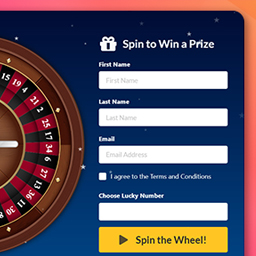
Engage visitors, converting valuable traffic into buyers & subscribers. Visitors spin the wheel, win an auto-generated coupon or prize and have a …
Contact form builder with spam protection, captcha, file uploads and opt-in to external newsletter services (Brevo, Mailchimp, MailerLite).

By Formcrafts
Create gorgeous forms for your site using this drag-and-drop form builder.

By smtping
Email verification for WordPress forms and every email your site sends. Block invalid, disposable and spamtrap addresses.

By fdngroup
Syncs newsletter signups and WordPress users to the FDN tools CRM, with a background queue, automatic retries and a test mode.

By Template Sell
Gate downloads behind a form — download any file after form submission. Capture name, email & phone as leads. Works with any theme.

By recorp
Integrate Divi Contact Form with MailChimp. Automatically add form submissions to predetermined lists in MailChimp, using its latest API.

By suformdev
Powerful Gutenberg form builder with two notification emails, reusable templates, Mailchimp, and GetResponse.

By denm
Email capture popup with timing, exit intent and scroll triggers, an optional always-available side tab, spam protection and built-in analytics.
CHOOSE WHAT YOUR WEBSITE NEEDS
Start with the task you need to solve. Compare features, WordPress and PHP requirements, update history and the author’s documentation. Test changes on a private copy and avoid adding several plugins for the same job.
This independent directory displays plugin information on WebFulHost and links to the official source. Packages are not mirrored or installed here. A plugin can include paid extensions or services with separate terms from its author.