

Animation Addons: all-in-one Elementor addons pack – GSAP scroll animations, 100+ Elementor widgets, 40+ Elementor 4 Atomic Widgets & 300+ templates.
★ 4.6/5 (69)10,000+ active installations
- Version
- 4.2.13
- WordPress
- 6.6+
- PHP
- 7.4+
- Updated
- 15 Nov 2026
WORDPRESS RESOURCES
Explore public plugin information from the official WordPress.org directory. Compare what a plugin does, its requirements and update history before adding it to your website.
Explore WordPress hosting →1,641 matching plugins reported by WordPress.org · Page 24 of 50
Source: WordPress.org
Data refreshed 22 Nov 2026 23:35 UTC
Animation Addons: all-in-one Elementor addons pack – GSAP scroll animations, 100+ Elementor widgets, 40+ Elementor 4 Atomic Widgets & 300+ templates.
Build beautiful responsive carousels inside Divi Builder. Create image sliders, logo showcases, testimonial carousels, blog sliders, and more with an …
Show customer testimonials and reviews with photos, star ratings and company details in a testimonial slider or grid. No coding needed.
EnterAddons | Ultimate Addons For WordPress And Elementor
By Sonal S Sinha
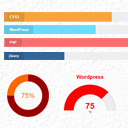
Showcase skillsets that you are good at anywhere on your website using this plugin.

Events slider, carousel, grid, list & timeline with filter bar. Eventful is a The Events Calendar addon with Gutenberg block & shortcode support.

High-converting popup campaigns with PopupKit – advanced triggers, A/B testing, spin-to-win, multistep popups & 270+ popup templates for WordPress
A complete WordPress LMS plugin to create any eLearning website easily.

By Taggbox
Display social media feeds, reviews, and user-generated content on your WordPress website with responsive, customizable widgets that require no coding
Add a WhatsApp chat button, WooCommerce WhatsApp order button & click-to-chat floating widget. Capture leads & convert visitors via chat.

By ThemezHut
Post grid, post list, and post slider Gutenberg blocks to design blog and magazine layouts easily.

By Zayed Baloch
Professional before & after image comparison slider for WordPress. Create engaging visual comparisons with an intuitive drag & drop interface.
CHOOSE WHAT YOUR WEBSITE NEEDS
Start with the task you need to solve. Compare features, WordPress and PHP requirements, update history and the author’s documentation. Test changes on a private copy and avoid adding several plugins for the same job.
This independent directory displays plugin information on WebFulHost and links to the official source. Packages are not mirrored or installed here. A plugin can include paid extensions or services with separate terms from its author.




