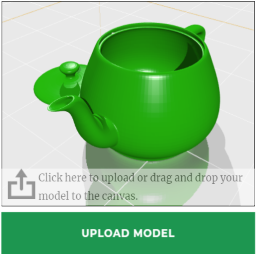
By using this plugin, you can easily create an augmented reality viewer or 3D model viewer anywhere on your website.
400+ active installations
- Version
- 1.1.3
- WordPress
- 6.0.0+
- PHP
- 7.4.0+
- Updated
- 24 May 2026
View plugin details ↗63 creative widgets for Elementor plus a template library of 587 ready-made sections and 12 complete websites, all free.
1,000+ active installations
- Version
- 2.7.1
- WordPress
- 6.3+
- PHP
- 7.4+
- Updated
- 23 Nov 2026
View plugin details ↗A plugin for selling 3D printing services.
★ 4.8/5 (37)600+ active installations
- Version
- 2.1.9
- WordPress
- 3.5+
- Updated
- 17 Sep 2026
View plugin details ↗Make your audience contact you directly and easily on WhatsApp with a single click.
★ 5.0/5 (1)40+ active installations
- Version
- 1.0.0
- WordPress
- 6.2+
- PHP
- 7.4+
- Updated
- 26 May 2026
View plugin details ↗Create A Captivating Visual Experience & Impress Your Audience
★ 5.0/5 (1)900+ active installations
- Version
- 1.2.11
- WordPress
- 6.0+
- PHP
- 7.4+
- Updated
- 15 Nov 2026
View plugin details ↗Document and PDF libraries, tracked downloads, client portals — every layout free (table, grid, gallery, folders), instant search, no document limit.
★ 5.0/5 (4)200+ active installations
- Version
- 2.115.4
- WordPress
- 6.4+
- PHP
- 7.4+
- Updated
- 13 Nov 2026
View plugin details ↗Save each change and get back online fast with one-click restores. The most proven WordPress backup plugin with over 270 million backups.
★ 4.5/5 (35)20,000+ active installations
- Version
- 4.0
- WordPress
- 7.0+
- PHP
- 7.4+
- Updated
- 4 Nov 2026
View plugin details ↗WhatsApp click-to-chat, click-to-call & floating contact button. Sticky bar on mobile, FAB on desktop, click analytics, WooCommerce ready.
★ 5.0/5 (4)2,000+ active installations
- Version
- 2.0.9
- WordPress
- 5.4+
- PHP
- 7.4+
- Updated
- 29 May 2026
View plugin details ↗One easy address book for WooCommerce. Customers save an address once and use it everywhere — at checkout and in their account.
★ 5.0/5 (2)10+ active installations
- Version
- 1.1.0
- WordPress
- 6.6+
- PHP
- 7.4+
- Updated
- 5 Nov 2026
View plugin details ↗Create professional business graphics, product images, social media, slide shows, flyers, brochures, infographics, podcasts with AI.
★ 5.0/5 (3)100+ active installations
- Version
- 6.0.1
- WordPress
- 5.0+
- PHP
- 5.2.4+
- Updated
- 6 Sep 2026
View plugin details ↗Edit, crop, resize, and filter product images directly in your WordPress dashboard.
★ 5.0/5 (1)10+ active installations
- Version
- 1.2.8
- WordPress
- 6.0+
- PHP
- 7.4+
- Updated
- 22 Sep 2026
View plugin details ↗Completely plugins Ultimate Bootstrap Elements for Elementor. Enhance your Elementor page building experience with Bootstrap Components and many other …
★ 5.0/5 (1)6,000+ active installations
- Version
- 1.5.3
- WordPress
- 4.7+
- PHP
- 5.6+
- Updated
- 12 Sep 2025
View plugin details ↗