Keygin Erp Sync
By Santiago Heredia
Automatically sync products and inventory from Contifico to WooCommerce.
0+ active installations
- Version
- 1.0.8
- WordPress
- 5.8+
- PHP
- 8.2+
- Updated
- 12 Mar 2026
WORDPRESS RESOURCES
Explore public plugin information from the official WordPress.org directory. Compare what a plugin does, its requirements and update history before adding it to your website.
Explore WordPress hosting →1,315 matching plugins reported by WordPress.org · Page 24 of 50
Source: WordPress.org
Data refreshed 24 Nov 2026 10:19 UTC
By Santiago Heredia
Automatically sync products and inventory from Contifico to WooCommerce.
Know what to reorder, how much and when. Sales speed, days of stock left, stockout dates and reorder suggestions for every WooCommerce product.

By Oleksandr Mykhailenko
Free two-way sync between WooCommerce and KeyCRM: products, stock, orders, order statuses and tracking numbers.

By partjoo
Synchronize your published WooCommerce products with PartJoo, an Iranian product-search service.

By Loopstates
Lightning-Fast, typo-tolerant search for WordPress, WooCommerce, CPTs, and taxonomies with direct-to-node queries, facets, and merchandising.

By costatech
Shopify's Shop Pay Wallet for your store - a fast "Buy with Shop Pay" express button plus a normal payment method entry.
Free WooCommerce POS system. Turn any browser into a point of sale register, scan barcodes, print receipts, and save sales as WooCommerce orders.

By demfilz
Send WooCommerce orders, customers and stock to Xero via the official Xero Accounting API. Free manual sync; Pro adds automation.
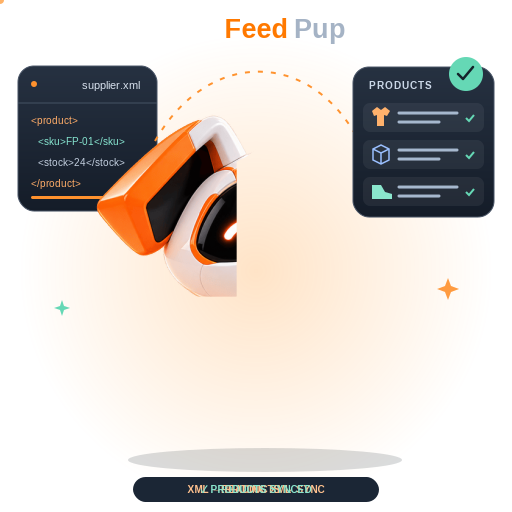
Import supplier XML & CSV feeds into WooCommerce with automatic field mapping. Test 100 products free, then sync prices and stock on a schedule.

By Pedro Miguel Martins
Save and track a product’s initial stock quantity and initial stock date in WooCommerce.

By youamibot
Visitors ask by text or voice, get answers from your own pages, and leave their details. Free to start, set up in two minutes.

By monrespro
Automatically send WooCommerce orders and customers into Odoo as sale.order and res.partner, matched to your products by SKU.
CHOOSE WHAT YOUR WEBSITE NEEDS
Start with the task you need to solve. Compare features, WordPress and PHP requirements, update history and the author’s documentation. Test changes on a private copy and avoid adding several plugins for the same job.
This independent directory displays plugin information on WebFulHost and links to the official source. Packages are not mirrored or installed here. A plugin can include paid extensions or services with separate terms from its author.