
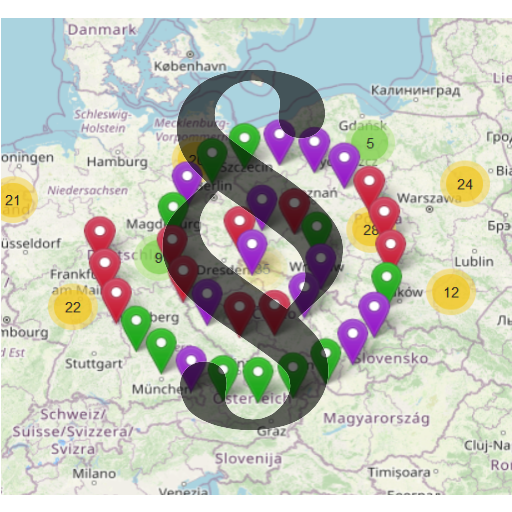
Respect the DSGVO / GDPR when you use Leaflet Map or WP GPX Maps.
★ 5.0/5 (1)100+ active installations
- Version
- 4.1.1
- WordPress
- 6.2+
- PHP
- 8.2+
- Updated
- 11 Nov 2026
WORDPRESS RESOURCES
Explore public plugin information from the official WordPress.org directory. Compare what a plugin does, its requirements and update history before adding it to your website.
Explore WordPress hosting →10,000 matching plugins reported by WordPress.org · Page 24 of 50
Source: WordPress.org
Data refreshed 21 Nov 2026 09:54 UTC
Respect the DSGVO / GDPR when you use Leaflet Map or WP GPX Maps.

By WebFactory
Internal links & external links manager: open in new window or tab, control nofollow, ugc, sponsored & noopener. SEO friendly.

By David Anderson / Team Updraft
Redux is a simple, truly extensible, and fully responsive options framework for WordPress themes and plugins. It ships with an integrated demo.
Generate WooCommerce product feeds for 200+ marketplaces. Sell on Google Shopping, Facebook, Instagram, Amazon, eBay, TikTok and more.
Harden your site security with Login Security, Two-Factor Authentication (2FA), Vulnerability Scanner, Firewall, and more. Formerly iThemes Security.

By WPMU DEV - Your All-in-One WordPress Platform
Broken Link Checker helps you catch broken links & images fast, before they hurt your SEO or UX. Scan and bulk-fix issues from one easy dashboard.

By fullworks
Helps secure your site against hacking attacks through detecting User Enumeration
Create custom "Shortcodes" easily for HTML, JavaScript, CSS code snippets and use the shortcodes within posts, pages & widgets

By Ads by WPQuads
Ads & AdSense plugin supporting Media.net, DFP, ads.txt, Web Stories ads, click fraud protection, revenue sharing, and ad blocker detection.

By WebFactory
WP Reset resets the entire site or selected parts using advanced reset options to default values. 100% safe to use with built-in restore function.

By Softaculous
Loginizer is a WordPress security plugin which helps you fight against bruteforce attacks.

By Shane Bishop
Automatically resizes huge image uploads. Are contributors uploading huge photos? Tired of manually resizing your images? Imsanity to the rescue!
CHOOSE WHAT YOUR WEBSITE NEEDS
Start with the task you need to solve. Compare features, WordPress and PHP requirements, update history and the author’s documentation. Test changes on a private copy and avoid adding several plugins for the same job.
This independent directory displays plugin information on WebFulHost and links to the official source. Packages are not mirrored or installed here. A plugin can include paid extensions or services with separate terms from its author.


