

Topper Pack
By Themepul
100+ Elementor widgets & extensions for WordPress. Build stunning websites with WooCommerce tools, advanced UI elements, and regular updates.
400+ active installations
- Version
- 1.2.5
- WordPress
- 5.0+
- PHP
- 7.4+
- Updated
- 24 May 2026
WORDPRESS RESOURCES
Explore public plugin information from the official WordPress.org directory. Compare what a plugin does, its requirements and update history before adding it to your website.
Explore WordPress hosting →2,897 matching plugins reported by WordPress.org · Page 24 of 50
Source: WordPress.org
Data refreshed 22 Nov 2026 15:32 UTC
By Themepul
100+ Elementor widgets & extensions for WordPress. Build stunning websites with WooCommerce tools, advanced UI elements, and regular updates.

By Mat Lipe
Fully automatic sidebar menus.
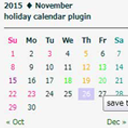
By strix-bubol5
投稿カレンダーに日曜、土曜、祭日及び独自の休日などのスタイル設定するためのclassを付加します。

By A WP Life
Create responsive image gallery, photo gallery with lightbox, grid & masonry layouts. Display using shortcode, Gutenberg block or Elementor widget.
Create responsive Elementor sliders for hero sections, posts, products and more with powerful Elementor addons and ready-to-use Elementor templates.
Build responsive, sortable and searchable tables with drag & drop. Import CSV, Excel or JSON. Create data, pricing, comparison and product tables.

By Guido
With this lightweight plugin you can display a set of links from the Link Manager.
Collect and manage event registrations with customizable forms, attendee management, and email templates. Start collecting registrations in minutes.

By Fernando Tellado
Free EU consumer-rights toolkit: withdrawal function, harmonised legal guarantee notice (GARAN), checkout consents, Article 16 exclusions.
Events calendar plugin for event registration, event tickets, bookings, RSVP, recurring and virtual events with WooCommerce and Zoom (AI-powered).

By bookingalgorithms
The really fast and powerful Booking engine for theme/site developers to create any booking or rental sites (tours, cars, events, apartments, yachts)

By fontawesome
The official way to use Font Awesome Free or Pro icons on your WordPress site, brought to you by the Font Awesome team.
CHOOSE WHAT YOUR WEBSITE NEEDS
Start with the task you need to solve. Compare features, WordPress and PHP requirements, update history and the author’s documentation. Test changes on a private copy and avoid adding several plugins for the same job.
This independent directory displays plugin information on WebFulHost and links to the official source. Packages are not mirrored or installed here. A plugin can include paid extensions or services with separate terms from its author.



