

The #1 WooCommerce shipment tracking plugin. Add tracking numbers, auto-update order status & send branded shipping notifications. 1010+ carriers.
★ 4.5/5 (355)70,000+ active installations
- Version
- 4.0.8
- WordPress
- 5.3+
- PHP
- 7.2+
- Updated
- 19 Nov 2026
WORDPRESS RESOURCES
Explore public plugin information from the official WordPress.org directory. Compare what a plugin does, its requirements and update history before adding it to your website.
Explore WordPress hosting →3,688 matching plugins reported by WordPress.org · Page 24 of 50
Source: WordPress.org
Data refreshed 20 Nov 2026 21:52 UTC
The #1 WooCommerce shipment tracking plugin. Add tracking numbers, auto-update order status & send branded shipping notifications. 1010+ carriers.
A one-click, user-friendly WordPress plugin for effortlessly importing theme demos and customizing your website in no time.
By Pektsekye
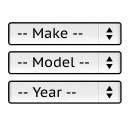
It will find products for selected make and model.

By ExpressTech Systems
Mobile menu & hamburger menu builder for WordPress. Accessible, keyboard-friendly and works with any theme or page builder. 150+ options, no code.

By Ansar Hussain
Export any installed WordPress theme (active or inactive) as a ZIP file directly from Appearance → Themes.

By Vsourz Digital
All In One Redirection plugin provide you to manage 301/302 redirections in 1:1 relationship, Host/www redirection, tracking of 404 pages and Import/E …

By bgermann
This is a fork of cformsII, a highly customizable, flexible and powerful form builder plugin, covering a variety of use cases and features.

By Randy Breland
RSVP guest list for WordPress: Party ID sign-in, meals, guest hub, CSV export, event capacity with a waitlist, and dashboard filters.

By Mountain Thirteen Media
Collect visual feedback with pinned comments directly on your live WordPress site. All data stored locally in your WordPress database.

By Core Framework
Build and manage a portable CSS framework and design system directly inside WordPress.
MultiVendorX: WordPress multivendor plugin to build your dream marketplace. Top-rated multi-vendor plugin to launch your WooCommerce marketplace.

Free memory & server IP display, PHP EOL countdown, live CPU/RAM sparklines, server location, environment indicators, SSL expiry & EOL alerts.
CHOOSE WHAT YOUR WEBSITE NEEDS
Start with the task you need to solve. Compare features, WordPress and PHP requirements, update history and the author’s documentation. Test changes on a private copy and avoid adding several plugins for the same job.
This independent directory displays plugin information on WebFulHost and links to the official source. Packages are not mirrored or installed here. A plugin can include paid extensions or services with separate terms from its author.

