

Create and display a professional-looking product pricing table in WordPress .
★ 5.0/5 (2)1,000+ active installations
- Version
- 2.1.6
- WordPress
- 6.5+
- PHP
- 7.4+
- Updated
- 25 Nov 2026
WORDPRESS RESOURCES
Explore public plugin information from the official WordPress.org directory. Compare what a plugin does, its requirements and update history before adding it to your website.
Explore WordPress hosting →10,000 matching plugins reported by WordPress.org · Page 25 of 50
Source: WordPress.org
Data refreshed 25 Nov 2026 06:51 UTC
Create and display a professional-looking product pricing table in WordPress .

By Dao Quoc Dai
Add Phonering Alo button to your website. A very simple yet very effective plugin that adds a Call Now button to your website for every device (mobile …

By Renzo Johnson
Edit content once and update it across your WordPress site. Reuse announcements, contact details and calls to action with Blocks.

By Junák - český skaut
A WordPress gallery using Google Drive as file storage
By wpbranddigital
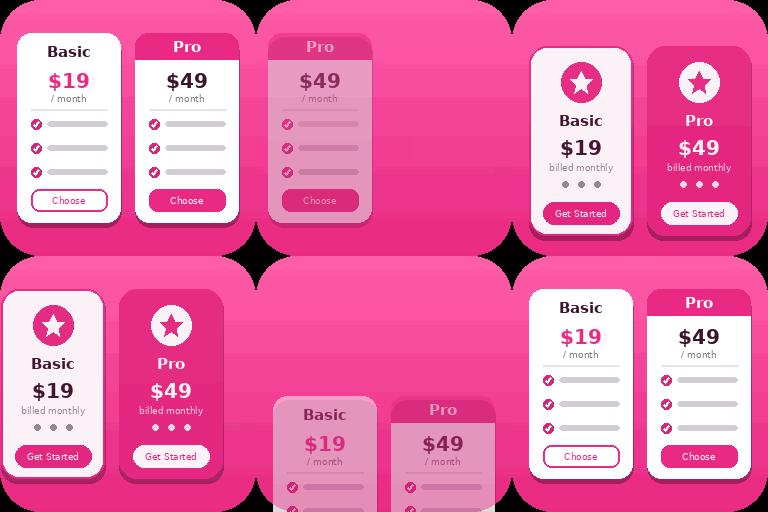
Create responsive WordPress pricing tables in Gutenberg with customizable plans, feature lists, CTA buttons, and clear pricing comparisons.

By Sonal S Sinha
SKT Page Builder has been designed and developed to assist anyone in creating pages using a drag and drop page builder interface.

By ThemeAtelier
Easily add a "Call Now" bubble to your WordPress site—let visitors call you in 3 clicks with customizable buttons, forms, and time-based availability.

By teoleonard
Find what slows your site. Records every request, PHP error, slow query and outside call, and names the plugin, file and line to fix first.

Create WordPress websites with free forms, Gutenberg blocks, popups, sliders, countdowns, animations, pre-built pages, patterns & The Theme Designer

By BoUk
Uses separate recurring cron task to check for missed schedules.
Floating button for Telegram, WhatsApp, MAX and phone calls. Includes live preview and icon customization.

By John Darrel
Hide My WP Ghost is a WordPress security plugin that hides WP paths and protects your site with Path Security, Firewall, Brute Force Protection, 2FA
CHOOSE WHAT YOUR WEBSITE NEEDS
Start with the task you need to solve. Compare features, WordPress and PHP requirements, update history and the author’s documentation. Test changes on a private copy and avoid adding several plugins for the same job.
This independent directory displays plugin information on WebFulHost and links to the official source. Packages are not mirrored or installed here. A plugin can include paid extensions or services with separate terms from its author.
